

The best field service management software in 2026 helps service businesses streamline scheduling, dispatching, invoicing, and mobile job tracking. Many modern field service management platforms also function as CRM software, allowing teams to manage customer data, communication, and workflows in a single system.
This guide compares the top field service management software and CRM solutions based on features, pricing, pros and cons, and real-world use cases to help you choose the right tool for your business.
What is a Field Service Management Software?
Field service management software helps service businesses manage scheduling, job tracking, invoicing, dispatching, and customer relationships from one platform. Many modern field service management software tools also include built-in CRM features, allowing teams to store customer data, track communication, and manage ongoing service workflows.
Field service management software is commonly used by HVAC companies, plumbers, electricians, roofers, landscapers, contractors, cleaning services, and other field service businesses.

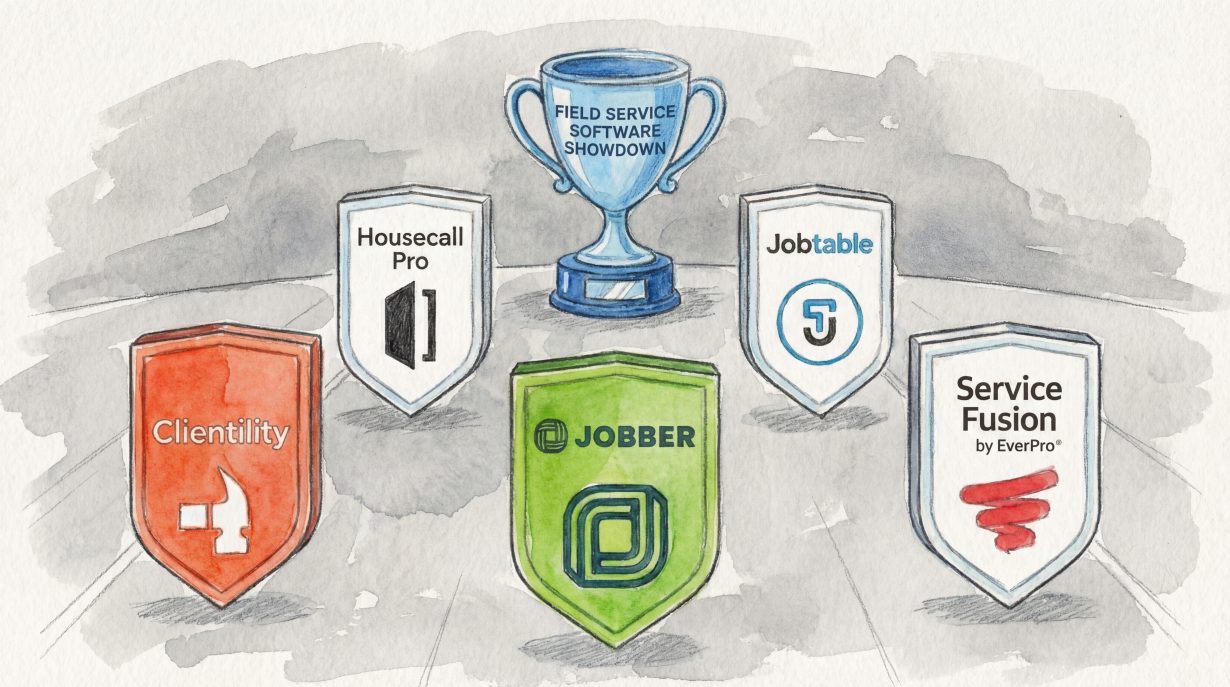
Ranking the Top 5 Field Service Management Software (CRM) in 2026
We’ve ranked the top 5 field service management software and CRM platforms in 2026 for service businesses of all sizes, from small startups to growing companies looking to scale operations, manage customers, and streamline field workflows.
| Software | Pricing | Best For | Pros | Cons |
|---|---|---|---|---|
| Clientility | $ | Startups- medium businesses | Best value for money | Limited integrations |
| Housecall Pro | $$ | Larger teams | Reliable for larger teams | Pricey, add-ons to scale |
| Jobber | $$ | Recurring services | Robust integrations | Pricey, add-ons to scale |
| Jobtable | $ | Individual- small teams | Covers essential FSM tools | Not built to scale |
| Service Fusion | $$$ | Job volume | Straight forward reporting tools | Hard to learn |
Clientility – Best for Startups to Medium Businesses
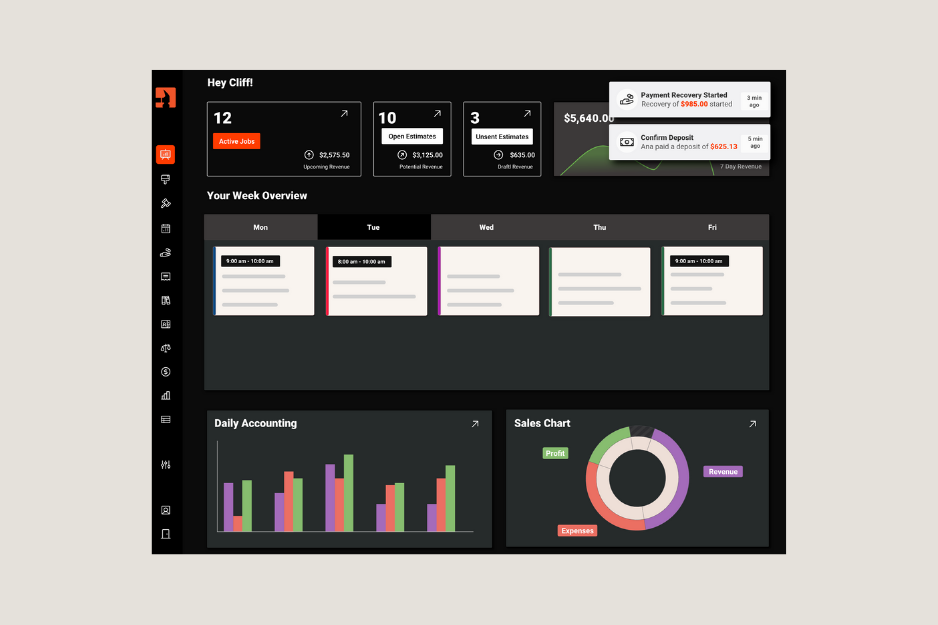
Clientility is an all-in-one field service management software and CRM for contractors and home service professionals. Available on web and mobile app, it streamlines estimates, scheduling, job tracking, automated invoicing, payments, and lead management with a Kanban-style board. Its automated follow-ups, called Conversion Strategies, help turn leads into clients faster. Fast setup and user-friendly Individual and Team plans make Clientility ideal for startups and medium-sized service businesses looking to scale in 2026.
* For a more detailed breakdown, see our full Clientility CRM review.
Clientility Notable Features
- Interactive Estimates: Quickly create polished estimates that clients can approve online, helping service professionals close jobs faster.
- Automated Invoicing and Payments: Send invoices with one click and accept payments seamlessly.
- Lead Management with Kanban Board: Organize leads visually, track progress from prospect to client, and improve sales conversions.
- Automated Follow-Ups (Conversion Strategies): Nurture leads automatically, reduce missed opportunities, and boost client conversion rates.
- Drag-and-Drop Scheduling: Assign jobs and manage team schedules in one place for maximum efficiency.
- Client Portal: Centralized access for clients to approve estimates and change orders, make payments, and track work.
- Mobile and Web Access: Manage your field service management software from anywhere, on a phone, tablet, or desktop.
- Accounting & Financial Management: Simplify bookkeeping, manage invoicing, payments, and financial reporting.
Clientility is Ideal For
- Startups and Small Businesses: Fast setup, intuitive interface, and streamlined features make it easy for new teams to get started.
- Medium-Sized Service Companies: Scales with growing teams, offering robust scheduling, lead management, and automated workflows.
- Contractors and Home Service Professionals: Designed for trades like HVAC, plumbing, roofing, electrical, landscaping, handyman and other field services.
- Looking to Upgrade from Manual System: Replace spreadsheets, PDFs, and paper logs.
- Tight Budgets: Any service business looking for a cost‑effective, advanced field service management software solution.
Clientility Pricing
| Individual Plan: | $45/mo |
| Team Plan: | $75/mo |
Clientility Pros
- Intuitive interface and easy learning curve
- Best value for your money
- Designed for field service professionals and contractors
- Mobile-first and intuitive interface for quick adoption
- Mobile and web access
- Deep QuickBooks integration
Clientility Cons
- Limited advanced enterprise features
- Limited third-party integrations
Housecall Pro – Best for Large Teams
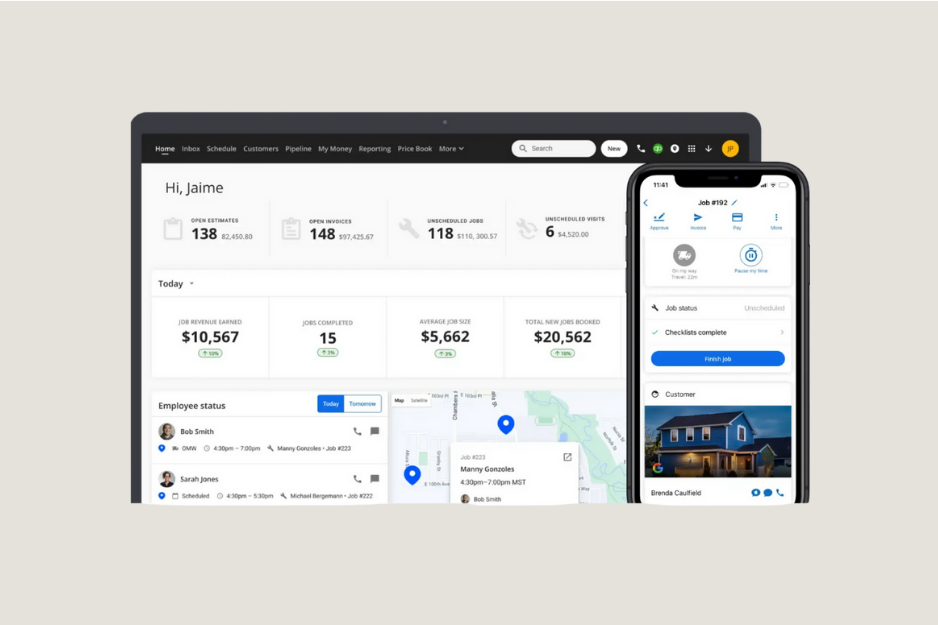
HousecallPro is a dependable platform available on web and mobile that helps service professionals and larger teams manage daily operations by combining scheduling, dispatching, invoicing, and client communication into a single system. Its focus is on keeping jobs organized and teams coordinated. Technicians receive real-time updates, and managers can assign multiple tasks, monitor staff, and make schedule changes quickly. It’s a solid choice for bigger teams in 2026.
Housecall Pro Notable Features
- Simplified Team Job Management: Assign tasks and monitor technicians in the field with ease.
- Integrated Billing and Payments: Create invoices and process payments directly within the platform.
- Automatic Client Notifications: Keep clients informed with updates and reminders about their service appointments.
- Service Record Keeping: Maintain detailed job notes, photos, and history in one organized location.
- Cross-Platform Access: Manage your field service management software from anywhere, on a phone, tablet, or desktop.
Housecall Pro is Ideal For
- On-Site Billing Teams: Technicians who want to create and send invoices directly from the field.
- Bigger Teams: Perfect for bigger teams that need smoother coordination and scheduling.
- Looking to Upgrade from Manual System: Replace spreadsheets, PDFs, and paper logs.
- Service Companies Across Trades: Designed for trades like HVAC, plumbing, roofing, electrical, landscaping, handyman and other field services.
Housecall Pro Pricing
| Basic: | $79/mo |
| Essentials: | $189/mo |
| MAX: | $329/mo |
Housecall Pro Pros
- Robust integrations
- Mobile and web access
- Reliable for larger teams
- Designed for service professionals and contractors
Housecall Pro Cons
- Some features may take time to learn and get used to
- Pricing can be a barrier for smaller teams or solo contractors
- Features you might want for scale require add-ons or higher tiers
Jobber – Best for recurring services
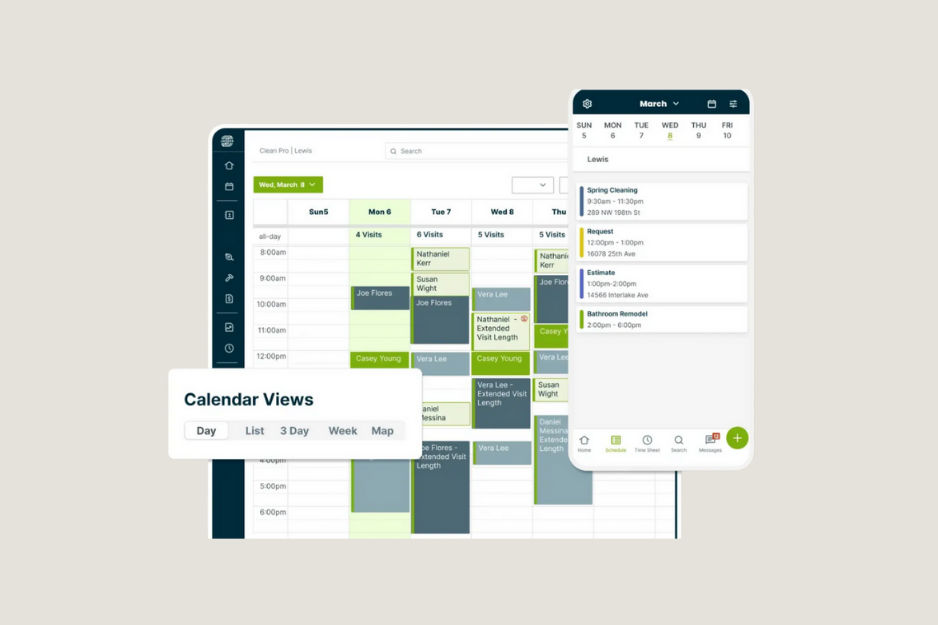
Jobber shines when businesses rely on repeat work. Companies that do maintenance, seasonal services, or regular contracts can keep clients on autopilot without a complicated setup. It’s practical, dependable, and built around keeping customers coming back rather than supporting massive dispatch operations.
Jobber Notable Features
- Recurring Jobs and Service Agreements: Automate repeat scheduling and billing for ongoing maintenance or subscription-based services.
- Client Hub: A centralized place for clients to approve quotes and view schedules
- Invoicing and Payments: Create invoices and process payments easily.
- Route-Friendly Scheduling: Organize repeat jobs efficiently to minimize travel time and optimize field operations.
- Basic Reporting: Track recurring revenue, client retention, and job completion.
Jobber is Ideal For
- Recurring Jobs and Service Agreements: Any business that schedules repeat services and wants automated billing for ongoing work.
- Looking to Upgrade from Manual System: Replace spreadsheets, PDFs, and paper logs.
- Service Companies Across Trades: Designed for trades like HVAC, plumbing, roofing, electrical, landscaping, handyman and other field services.
Jobber Pricing
- For Individuals:
| Core: | $39/mo |
| Connect: | $119/mo |
| Grow: | $199/mo |
- For Teams:
| Connect: | $169/mo |
| Grow: | $349/mo |
| Plus: | $599/mo |
Jobber Pros
- Robust integrations
- Mobile and web access
- Designed for service professionals and contractors
Jobber Cons
- Features you might want for scale require add-ons or higher tiers
- Pricing is on the higher side
Jobtable – Best for Individuals and small teams with minimal complexity
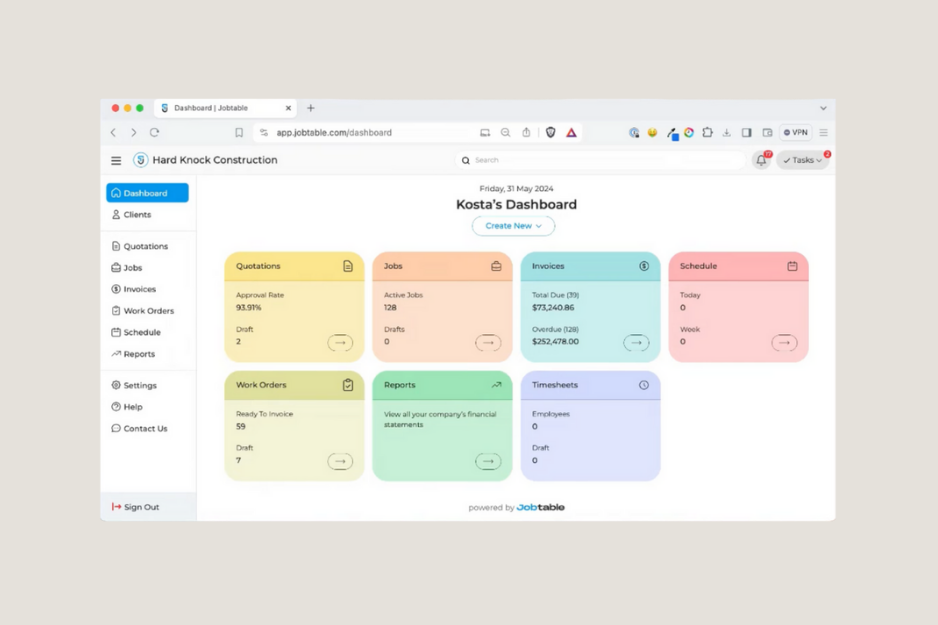
Jobtable is a field service management software platform that covers core needs like scheduling, job tracking, and basic invoicing. It gets solo contractors and small teams started quickly but lacks advanced dispatching, deep automation, and integrations. That makes it a practical choice for very simple operations on a reasonable budget, but not a great fit for teams that plan to scale.
Jobtable Notable Features
- Scheduling and job tracking: Create jobs, assign technicians, and update job status.
- Basic invoicing and payments: Generate invoices and record payments.
- Client records: Store contact info, job history, and basic notes.
- Simple reporting: Standard job and revenue reports for basic insights.
- Web access with limited mobile features: Work from a browser; mobile functionality is present but pared down.
Jobtable is Ideal For
- Entry-Level Field Service Companies: Designed for trades like HVAC, plumbing, roofing, electrical, landscaping, handyman, cleaning, and other basic field services.
- Looking to Upgrade from Manual System: Replace spreadsheets, PDFs, and paper logs.
- Reasonable Budget: Any service business looking for an affordable field service management software solution without extra bells and whistles.
Jobtable Pricing
| $59/mo |
Jobtable Pros
- Designed for service professionals and contractors
- Covers essential field service management software tasks without unnecessary complexity
Jobtable Cons
- Not built to scale for medium or large teams; advanced features require switching platforms
- Reporting and analytics are basic
Service Fusion – Best for businesses that have job volume
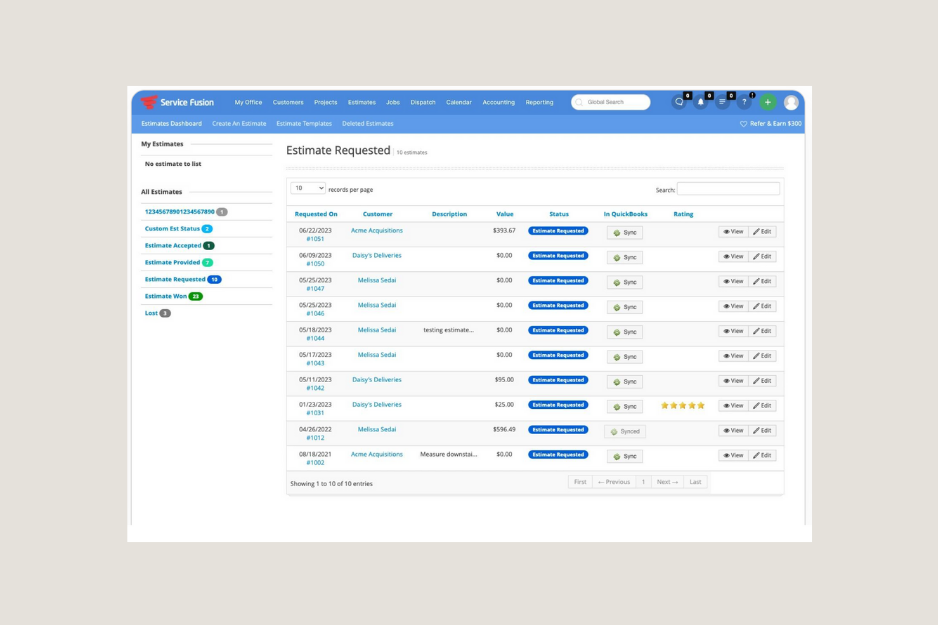
Service Fusion is a well-rounded field service management software for businesses that have high job volume. It combines scheduling, customer management, invoicing, and communication tools into a single dashboard. It works best for businesses that already have steady job volume and need structure rather than lightweight starter software.
Service Fusion Notable Features
- Scheduling and Dispatch Board: Assign jobs, view technician availability, and manage daily workloads.
- Estimates and Invoicing: Create quotes, convert them into invoices, and track payments.
- Phone and Text Tools: Built-in calling and messaging so teams can communicate with customers.
- Reporting and Analytics: View performance metrics and revenue summaries.
- Customer Management: Store contact info, job history, and service notes.
Service Fusion is Ideal For
- Trades Across Industries: Designed for trades like HVAC, plumbing, roofing, electrical, landscaping, handyman, cleaning, and other basic field services.
- Teams That Rely on Phone Communication: Companies that want calling and texting built into their system.
- Large-Sized Field Service Operations: Businesses with multiple technicians and regular daily job volume.
Service Fusion Pricing
| Starter: | Around $245 per month |
| Plus: | Around $382 per month |
| Pro: | Around $627 per month |
Service Fusion Pros
- Designed for service professionals and contractors
- Built-in phone and SMS communication
- Straightforward reporting tools
Service Fusion Cons
- Interface can feel dated compared with newer platforms
- Pricing is on the higher side
FAQs
What is field service management software?
Field service management software helps service businesses and contractors manage jobs, scheduling, dispatching, customer information, estimates, and invoicing from one platform. It streamlines daily operations, improves team coordination, and helps businesses run more efficiently in the field.
Which field service management software is best for small to medium-sized service businesses?
Many small- to medium-sized service businesses choose platforms like Clientility because it offers scheduling, invoicing, automation, and customer management tools that support both current operations and future growth. Platforms such as Jobber and Housecall Pro are often better suited to larger or more complex teams that require deeper integrations and advanced dispatching.
Is field service management software worth it for contractors and service businesses?
Yes, for most contractors and service businesses, field service management software is worth it. It helps streamline scheduling, invoicing, and customer communication in one system, reducing paperwork and saving time.
What features should I look for in field service software?
Key features to consider include scheduling, dispatching, estimates, invoicing, customer management, and automation. Platforms such as Clientility, Housecall Pro, Jobber, Jobtable and Service Fusion offer different strengths depending on business size and workflow needs.