


Choosing the right CRM can make a big difference in how smoothly your service business runs. In this guide, we compare Clientility vs Jobber across features, pricing, and overall usability to help you decide which platform is the better fit for your workflow.
Both platforms are popular among contractors and home service businesses, but they take slightly different approaches when it comes to managing leads, scheduling jobs, and handling customer relationships. Understanding these differences can help you choose a system that actually supports how your business operates day to day.
Clientility vs Jobber (Quick Comparison)
| Feature | Clientility | Jobber |
|---|---|---|
| Best For | All-in-one business management | All-in-one business management |
| Ease of Use | Simple and modern | Simply structured |
| Lead Management | Advanced pipeline (Kanban) | No pipeline |
| Estimates | Good/Better/Best options | Good/Better/Best options |
| Payments | Flexible (deposits, splits) | Flexible (deposits, splits) |
| Pricing | More value for features | Higher as you scale |
Clientility Overview
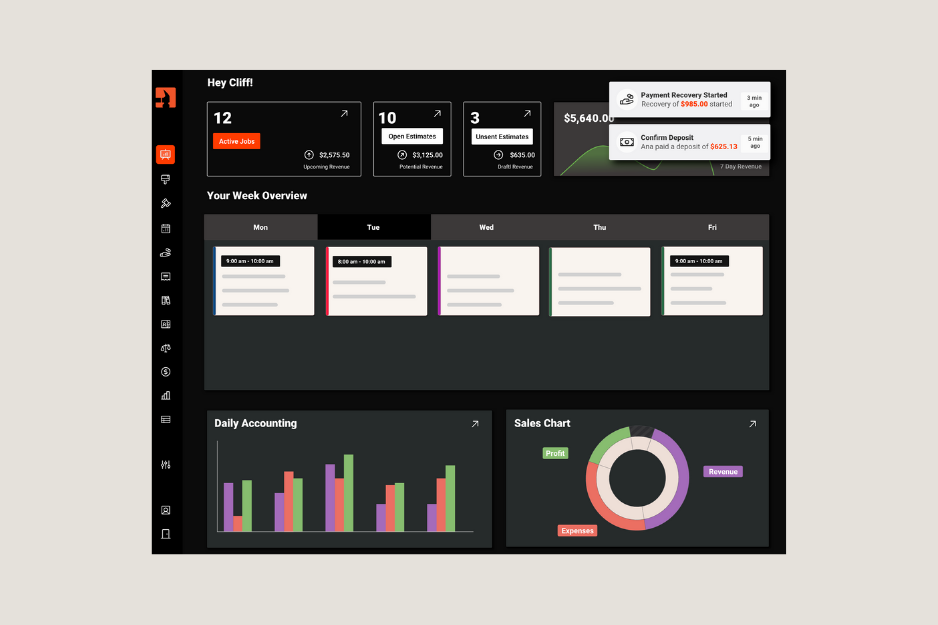
Clientility is an all-in-one CRM and field service management platform designed for contractors and home service businesses. It combines lead management, scheduling, estimates, invoicing, and payments into one streamlined system, allowing businesses to manage their entire workflow in one place.
The platform is known for its simplicity and modern interface, making it easy for teams to get started quickly without a steep learning curve. At the same time, it offers the flexibility and built-in tools needed to manage operations efficiently as your business grows.
Clientility is best suited for contractors and service businesses that want an all-in-one solution to manage leads, jobs, and payments without switching between multiple tools or dealing with overly complex systems.
* For a more detailed breakdown, see our full Clientility CRM review.
Clientility Key Features
Lead management: Uses a Kanban-style pipeline to track leads, manage opportunities, and move customers through each stage of the sales process.
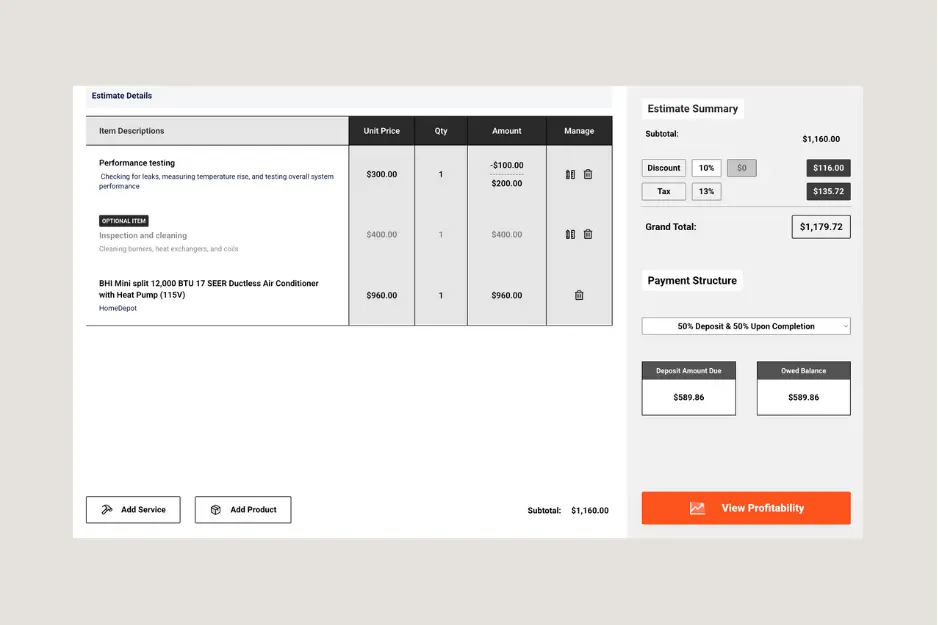
Estimates (Good/Better/Best): Create multiple estimate options for customers, helping increase conversions and offer flexible pricing choices.
Scheduling and job management: Organize jobs, assign tasks, and manage schedules within a centralized dashboard.
Invoicing and payments: Send invoices and accept payments with flexible options, including deposits, partial payments, and custom payment structures.
Review automation: Encourage customers to leave reviews after job completion, helping improve online reputation and visibility.
Profit tracking: Track costs, markups, and profitability directly within estimates and jobs.
Clientility Pricing
| Individual Plan: 1 user | $45/mo |
| Team Plan: Up to 5 users | $75/mo |
*as of Apr 3, 2026.
Clientility Reviews
What users like about Clientility:
- Simple and easy-to-use interface
- Affordable all-in-one platform
- Flexible workflows for different business types
- Lead and sales management features
Jobber Overview
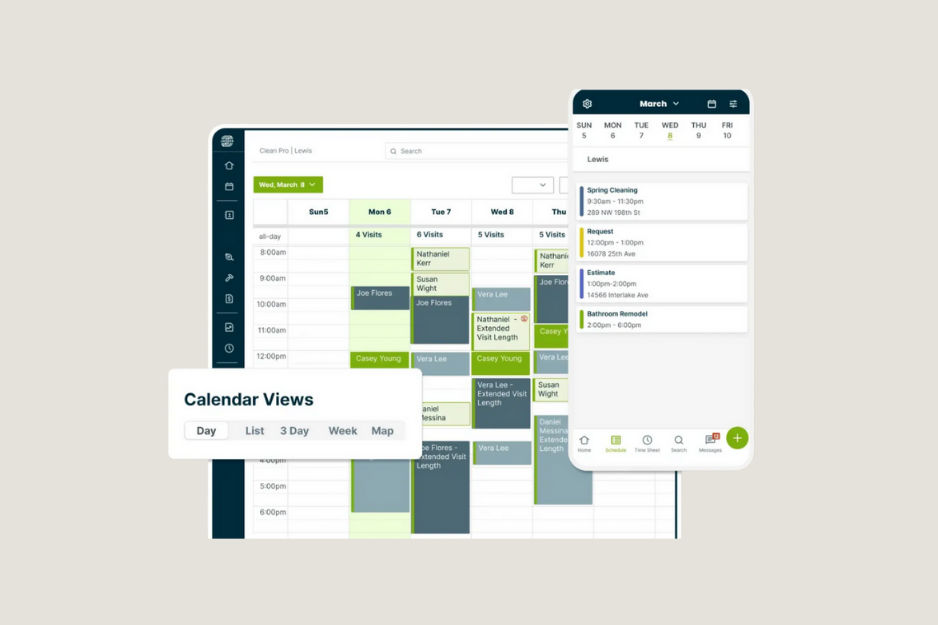
Jobber is a field service management software designed for home service businesses that need help with scheduling, job tracking, and customer management. It is widely used by industries such as cleaning, landscaping, HVAC, and other service-based businesses.
The platform focuses on providing structured workflows for managing jobs from start to finish. It offers tools for scheduling, invoicing, and client communication, making it a reliable option for teams that prioritize organization and job management.
Jobber Key Features
Scheduling and dispatching: Uses a calendar-based system to schedule jobs, assign team members, and track upcoming work.
Client management: Store customer details, job history, and communication in one place.
Quotes and invoicing: Create quotes and convert them into invoices, with options to send them directly to customers.
Job tracking: Manage job progress and keep track of completed and upcoming work.
Mobile app: Provides access to schedules, job details, and updates while on the go.
Jobber Pricing
- For Individuals:
| Core: 1 user | $49/mo |
| Connect: 1 user | $139/mo |
| Grow: 1 user | $199/mo |
- For Teams:
| Connect: Up to 5 users | $199/mo |
| Grow: Up to 10 users | $399/mo |
| Plus: Up to 15 users | $699/mo |
*as of Apr 3, 2026.
Jobber Reviews
What customers like about Jobber:
- Strong scheduling and job management tools
- Clean and structured interface
- Reliable and widely used platform
Clientility vs Jobber: Key Differences
Now that we’ve covered the overview of both platforms, it’s important to compare Clientility and Jobber directly. Both platforms provide essential tools for running a service business, but they take different approaches when it comes to flexibility, workflow management, and pricing.
Looking at these differences side by side can help you determine which CRM fits your workflow, supports your team more effectively, and delivers better overall value.
Clientility vs Jobber Pricing
Both Clientility and Jobber offer tiered pricing based on team size and features, but the way pricing scales can differ significantly as your business grows.
To make this comparison as accurate as possible, we’ll match plans based on the number of users they support. This includes comparing the lowest-cost individual plan for 1 user and the most affordable team plan that supports up to 5 users on each platform.
- For Individuals (1 user):
| Clientility Individual Plan | $45/mo for 1 user |
| Jobber Core Plan | $49/mo for 1 user |
- For Teams (5 users):
| Clientility Team Plan | $75/mo for 5 users |
| Jobber Connect Plan | $199/mo for 5 users |
Pricing can vary depending on how many people are using the platform and what your business actually needs.
To give a more practical example, let’s look at a small team setup with 4 users, such as a mix of office staff and field technicians. Here’s how the monthly cost compares:
- Clientility: $75/month for 5 users
- Jobber: $199/month for 5 users
When comparing pricing, it’s important to look beyond the base subscription cost. Some platforms charge additional fees for specific features or require add-ons to unlock certain functionality.
For example, Jobber offers add-ons like its Marketing Suite for $79/mo, which includes features such as automated review requests.
Clientility, on the other hand, includes this feature directly in its core plans, without requiring a separate add-on. This all-in-one approach can make pricing more predictable and cost-effective, especially for growing businesses.
Clientility vs Jobber Features
Both Clientility and Jobber offer essential tools for running a service business, but they differ in how those features are structured and how much flexibility they provide.
Lead management & CRM:
- Clientility: Full Kanban-style lead pipeline to track prospects and manage conversions
- Jobber: Basic client management with limited lead tracking capabilities
Scheduling & Job Management:
- Clientility: Combines scheduling with leads, jobs, and customer data in one system
- Jobber: Structured calendar-based system for scheduling and dispatching jobs
Estimates & Invoicing:
- Clientility: Supports flexible estimates (Good/Better/Best) with built-in invoicing automatic invoicing
- Jobber: Quoting (Good/Better/Best) and invoicing with customizable templates
Payments:
- Clientility: Flexible payment options including deposits, partial payments, and custom structures supporting online payments via card and bank transfer
- Jobber: Online payments via card and bank transfer with saved payment methods
Workflow & Flexibility:
- Clientility: Flexible workflows that adapt to how your business operates
- Jobber: More structured system designed for standardized processes
Reporting & Insights:
- Clientility: Built-in profit tracking and insights within jobs and estimates
- Jobber: Provides real-time job tracking on performance and financial insights
Clientility vs Jobber: Which One Should You Choose?
Both Clientility and Jobber are strong options for contractors and home service businesses, but they are built with slightly different priorities.
Jobber is a reliable all-in-one platform for businesses that prioritize scheduling and structured job management. Its system is well-established and works well for teams that prefer a more standardized workflow.
Clientility, on the other hand, is designed as an all-in-one solution that brings together lead management, scheduling, estimates, invoicing, and payments into a single system.
While both platforms offer a wide range of features, they differ in how those features are packaged and accessed. Clientility includes more built-in functionality within its core plans, while Jobber may require higher-tier plans or add-ons to unlock certain capabilities.
Ultimately, the right choice comes down to how your business operates. If you’re looking for a simple, all-in-one platform with more built-in features and predictable pricing, Clientility is a compelling option. If your main focus is scheduling and job organization, Jobber is a platform that supports businesses as they grow.
FAQS
What is the main difference between Clientility and Jobber?
The main difference lies in how features are structured. Clientility includes more built-in functionality within its core plans, while Jobber uses a more tiered and add-on-based approach.
Which is more affordable, Clientility or Jobber?
Clientility is generally more cost-effective, especially for small teams, as it includes more features within its base pricing. Jobber’s pricing can increase as you add users or require additional features.
Which platform is easier to get started with?
Both platforms are designed to be user-friendly, but Clientility focuses on simplicity and flexibility, while Jobber provides a more structured setup that may take slightly more time to configure based on your workflow.
Do both platforms support invoicing and payments?
Yes, both Clientility and Jobber include invoicing and payment features. Clientility offers more flexible payment structures within its core plans, while Jobber provides standard invoicing with online payment options.