


Housecall Pro is a popular field service management platform that helps service businesses manage scheduling, dispatching, estimates, invoices, payments, and customer communication from one place.
But it may not be the right fit for every company. Some businesses want more affordable pricing as their team grows. Others need stronger project management, job costing, reporting, customization, or customer relationship tools. That is why many contractors compare Housecall Pro competitors and alternatives before committing to a platform.
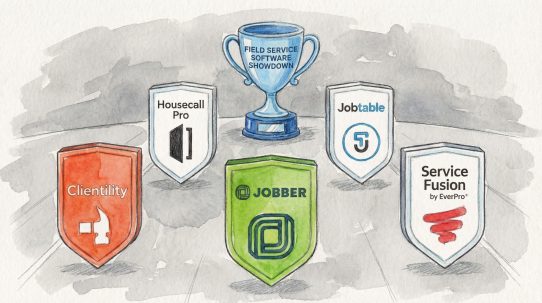
This guide examines four leading options for service businesses in 2026: Jobber, Clientility, FieldPulse, and ServiceTitan. We compare their pricing, key features, strengths, and ideal use cases to help you choose the software that best matches the way your business operates.
Housecall Pro Competitors and Alternatives at a Glance
| Software | Starting price | Best for | Main strength | Main consideration |
|---|---|---|---|---|
| Jobber | From $49/month | Small service businesses and teams wanting a close Housecall Pro alternative | Simple job management and a polished client experience | Costs can rise as more users and advanced features are added |
| Clientility | From $45/month | Solo contractors and growing service businesses | Affordable, estimates, project workflows, payments, and client portal | Fewer third-party integrations |
| FieldPulse | Custom quote | Growing field service teams | Flexible office-to-field operations and workflow automation | Public pricing is not available, making early cost comparisons harder |
| ServiceTitan | Custom quote | Larger home service and trade companies | Advanced dispatching, call management, reporting, and operational oversight | May be too complex or costly for smaller businesses |
Why Look for an Alternative to Housecall Pro?
Housecall Pro covers many of the essentials that home service companies need. Its Basic plan includes tools for online booking, scheduling and dispatching, quotes, invoices, payments, and review management. As of August 2026, the plan costs $79 per month when paid monthly.
The platform can be a practical choice for businesses that want a well-known, home-service-focused system. However, comparing alternatives to Housecall Pro may make sense if your company needs:
- A lower starting price or a different user-pricing structure
- More support for multi-stage projects, change orders, or milestone payments
- Deeper job costing and profitability information
- More advanced dispatching, reporting, or call management
- Greater workflow customization
- A simpler platform with fewer tools to configure
The best option is not necessarily the product with the longest feature list. It is the one that fits your normal workflow, team size, budget, and plans for growth.
1. Jobber
Best for: Small home service companies that want an intuitive system for managing jobs and customers
Starting price: From $49 per month
Jobber is one of the closest direct Housecall Pro competitors. Both platforms are designed for service businesses that need to manage the complete job cycle, from a new customer request to scheduling, invoicing, and payment.
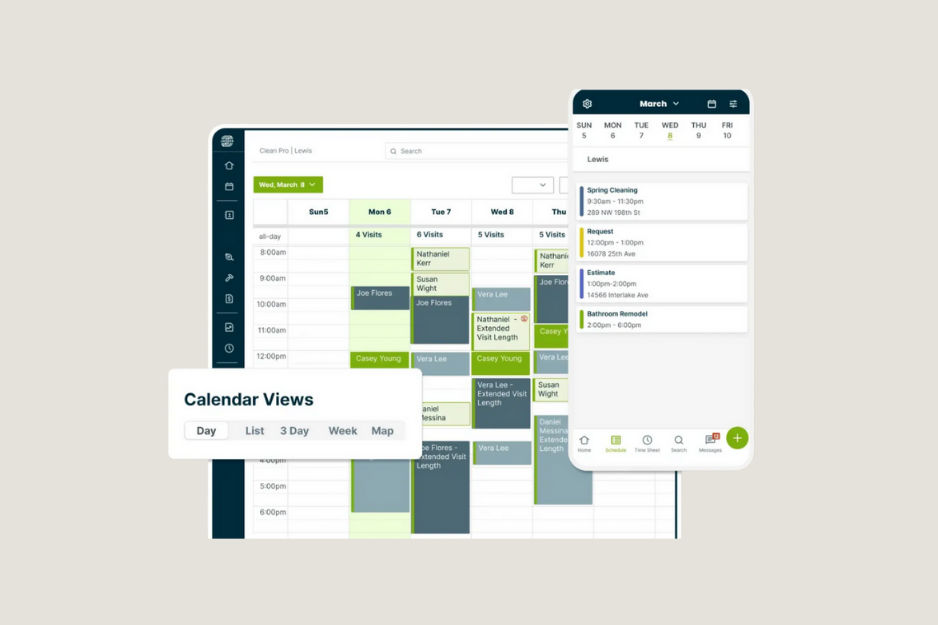
Jobber brings customer records, quotes, jobs, team schedules, invoices, and payment information into one system. Its drag-and-drop calendar helps office staff organize appointments and assign work, while the mobile app gives field employees access to job details, notes, and customer information.
One of Jobber’s standout features is Client Hub. Customers can use the online portal to request work, approve or request changes to quotes, review appointment details, pay invoices, and request additional services. This self-service experience can reduce routine calls and messages for the office.
Jobber pros
- Straightforward scheduling and job management
- Professional quotes and invoices
- Customer self-service through Client Hub
- Automated reminders and quote follow-ups
- QuickBooks Online integration on eligible plans
- Suitable for many service industries
Main consideration
Jobber advertises a low starting price, but the final cost depends on your team size, billing commitment, and required features. Tools such as advanced job costing, lead management, and marketing may require a higher plan or paid add-on. Compare the plan that contains everything your business needs rather than looking only at the entry price.
Choose Jobber if: You want a polished, direct Housecall Pro alternative that is easy for a small office and field team to adopt.
2. Clientility
Best for: Solo contractors and small teams managing both service calls and detailed projects
Starting price: $45 per month
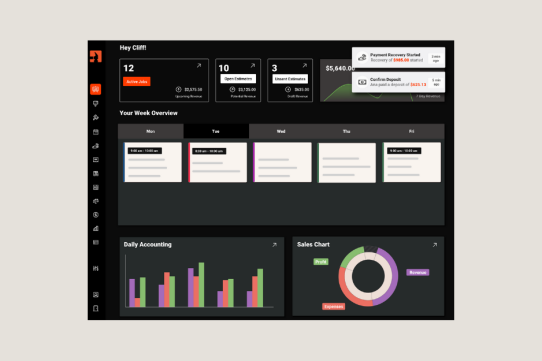
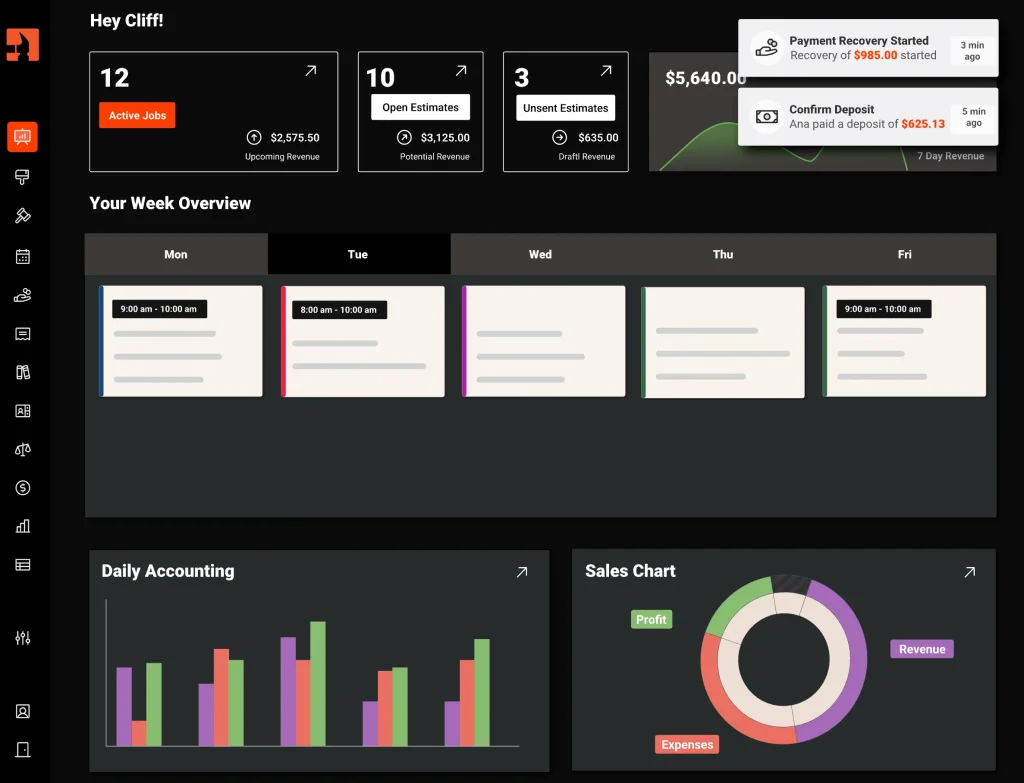
Clientility is an all-in-one CRM and service business software platform built for independent contractors and growing home service companies. It connects lead management, estimates, scheduling, invoices, online payments, reminders, customer communication, and a client portal.
Clientility stands out among Housecall Pro alternatives for its support of project-focused workflows. Contractors can create change orders, schedule milestone payments, record expenses, apply markups, and monitor projected job profitability. These tools may be useful for remodelers, painters, roofers, landscapers, and other contractors whose work extends beyond a single appointment.
The platform also offers Good, Better, and Best estimates, allowing a business to present customers with multiple service options. Automated estimate follow-ups can help move undecided leads toward approval, while Review Boost can invite satisfied customers to leave a Google review.
Clientility’s Individual plan starts at $45 per month. Its Team plan starts at $75 per month and adds employee-management features for up to five users. The company says additional users can be added for $10 per user per month.
Clientility pros
- Affordable and transparent published pricing
- Lead management and automated follow-ups
- Good, Better, and Best estimates
- Change orders and milestone payments
- Expense tracking and job profitability tools
- Customer approvals and payments through a client portal
- Google review automation
- QuickBooks integration
Main consideration
Clientility has fewer third-party integrations than longer-established field service management software. Businesses that rely on specialized accounting, inventory, marketing, or communications applications should verify that their essential integrations are available.
Choose Clientility if: You want affordable software for service businesses with strong estimating, project, payment, and profitability tools.
* For a more detailed breakdown, see our full Clientility CRM review.
3. FieldPulse
Best for: Growing companies that need more control across office and field workflows
Starting price: Custom quote
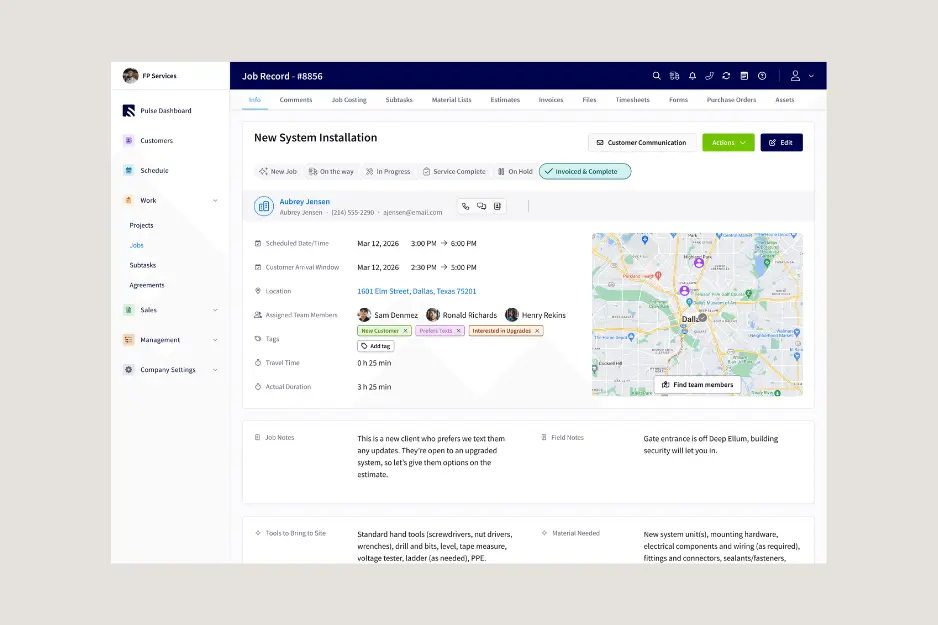
FieldPulse is field service management software for businesses that need to connect customer information, scheduling, dispatching, work orders, estimates, invoices, payments, and mobile field activity.
The platform’s core tools help office staff coordinate jobs while technicians access assignments and update job information in the field. Project management, workflow automation, QuickBooks synchronization, and multi-location capabilities are available across different packages.
FieldPulse uses seat-based pricing. Full-access seats cover the wider platform, while limited field seats are intended for employees who mainly need assigned jobs, job notes, file uploads, time tracking, and location-related tools through the mobile app. This structure may give growing teams more flexibility when employees have different software needs.
FieldPulse pros
- Scheduling, dispatching, and work orders
- Estimates, invoices, and payments
- Mobile access for field employees
- Project management
- Different access levels for office and field users
- Optional phone, fleet, price-book, and AI tools
Main consideration
FieldPulse does not publish standard subscription prices on its primary pricing page. Businesses must request a quote based on their team and preferred setup. Ask for a complete estimate that includes implementation, full-access and field-only seats, support, payment fees, and optional products.
Choose FieldPulse if: Your growing team needs a configurable operational system and different access levels for office employees and technicians.
* For a more detailed breakdown, see our full FieldPulse CRM review.
4. ServiceTitan

Best for: Established HVAC, plumbing, electrical, and other trade companies with complex operations
Starting price: Custom quote
ServiceTitan is a comprehensive field service platform designed to support larger service and trade businesses. Its packages combine scheduling, dispatching, call booking, invoicing, and price-book management. Higher packages add tools such as mobile estimates, payroll management, advanced reporting, commission tracking, and customizable memberships.
ServiceTitan’s dispatch board helps office teams manage technicians and changing schedules. Its call-management capabilities connect incoming opportunities with booking activity, while marketing and reporting tools can help managers examine revenue, technician performance, booking rates, and campaign results.
This operational depth distinguishes ServiceTitan from smaller Housecall Pro competitors. It can support companies managing a high volume of calls, technicians, sales opportunities, memberships, and performance data. However, businesses need enough operational complexity and enough employees to justify the setup and training involved.
ServiceTitan pros
- Advanced scheduling and dispatching
- Call booking and call recording
- Detailed price-book tools
- Technician and sales performance reporting
- Payroll and commission capabilities on eligible packages
- Designed for larger service operations
Main consideration
ServiceTitan does not publish standard subscription prices and provides quotes based on the business and package. Smaller companies may find the platform more complicated than they need. Ask about implementation, onboarding, contracts, required user counts, add-ons, and support before making a decision.
Choose ServiceTitan if: You operate a larger trade business and need advanced control over dispatching, calls, reporting, marketing, and technician performance.
How to Compare Housecall Pro Competitors and Alternatives
When comparing Housecall Pro competitors and alternatives, start with the way your company actually completes work. A platform that performs well for a two-person cleaning business may not be suitable for a plumbing company with 30 technicians and a dedicated call centre.
Consider your type of work
Appointment-based service businesses may prioritize recurring jobs, route planning, arrival notifications, fast invoicing, and card payments. Project-based contractors may place more importance on deposits, milestone billing, change orders, expenses, job costing, and profit margins.
Calculate the cost for your real team
Do not compare platforms using only their advertised entry prices. Check how many users are included, whether office and field employees require different licenses, and which plan includes your essential features. Include setup charges, payment-processing fees, add-ons, and annual commitments in your calculation.
Identify essential features
Create a shortlist of features your business uses every week. These may include:
- Scheduling and dispatching
- Estimates and electronic approvals
- Invoices and online payments
- Recurring work
- Customer reminders
- Mobile access
- Client portal
- Time and expense tracking
- Job costing
- Change orders
- Accounting integrations
- Reporting and performance dashboards
A long feature list offers little value if your employees cannot easily complete their everyday tasks.
Which of These Housecall Pro Competitors and Alternatives Is Best?
The best Housecall Pro alternative depends on your team, workflow, and budget:
- Choose Jobber if you want a close, user-friendly alternative for scheduling, customer management, and invoicing.
- Choose Clientility if affordability, estimates, change orders, milestone payments, job profitability, and ease of use are priorities.
- Choose FieldPulse if your growing team needs flexible field access and more configurable operational workflows.
- Choose ServiceTitan if you manage a larger trade company and need advanced dispatching, call management, and reporting.
FAQS
Is there a cheaper alternative to Housecall Pro?
Clientility offers one of the most affordable and straightforward pricing structures in this comparison. It has only two plans, Individual and Team, with no separate feature add-ons. Both plans include the platform’s core features, such as lead management, estimates, scheduling, invoicing, payments, job costing, and the client portal. The main difference is that the Team plan adds team-related tools, including employee scheduling, time tracking, and technician access. This makes Clientility’s advertised price a more accurate reflection of what many contractors will actually pay.
Who are Housecall Pro’s main competitors?
Housecall Pro competitors include Jobber, Clientility, FieldPulse, ServiceTitan, Workiz, and Service Fusion. They serve different parts of the field service market, ranging from solo contractors to larger companies with complex dispatching and reporting requirements.
How should you compare Housecall Pro competitors and alternatives?
When reviewing Housecall Pro competitors and alternatives, service businesses should compare scheduling, estimates, invoicing, payments, mobile access, customer communication, reporting, integrations, user limits, and total cost. The right platform should simplify the company’s existing workflow and remain practical as the team grows.