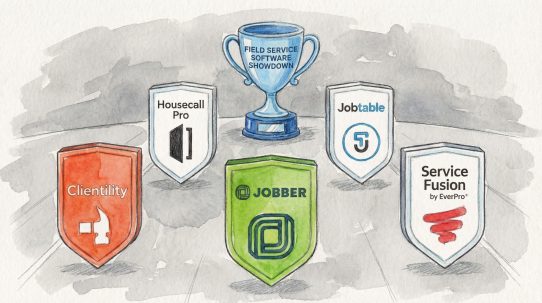




Jobber ranks first primarily because it is the most established and widely recognized full field-service platform in our comparison. Clientility takes a close second; it may offer better value for many solo handymen and small teams. It provides a comparable core workflow, along with change orders, milestone payments, job costing, profitability tracking and a client portal, at a lower month-to-month starting price. For businesses that prioritize functionality and affordability over brand recognition, Clientility may be the stronger choice.
There is no universal winner. A solo handyman sending five estimates a month needs a very different system from a company dispatching several technicians every day. This guide compares seven leading options by business fit, not simply by the length of their feature lists.
The best handyman software at a glance
| Rank | Software | Best for | Starting price | Free option | Main consideration |
|---|---|---|---|---|---|
| 1 | Jobber | Businesses that want an established, widely recognized platform | $49/mo | Free trial | Useful core automations and job costing require higher plans |
| 2 | Clientility | Best value for an all-in-one software | $45/mo | 14-day trial | Fewer third-party integrations than Jobber |
| 3 | Housecall Pro | Best for a growing multi-technician business | $79/mo | 14-day trial | Checklist, Flat-rate pricing, and QuickBooks sync require higher plans |
| 4 | Joist | Best for estimates, invoices and payments | $10/month; Pro is $17/month | 14-day trial | Not a complete scheduling and management platform |
| 5 | FieldPulse | Best for customizable team operations | Request Pricing | Ask vendor | No public price makes cost comparison difficult |
| 6 | Workiz | Best for phone-heavy intake and dispatch | Request Pricing | 7-day trial | Unreliable Mobile App. No public price makes cost comparison difficult |
How we compared handyman software
We ranked these products for a typical independent or small-team handyman business. Our evaluation considered:
- Core job workflow (25%): Estimates, scheduling, job records, invoicing and payments
- Ease of use and mobile access (15%): whether the system is practical in the field as well as the office
- Value (25%): useful features included at a realistic price, not only the lowest advertised plan
- Customer experience (15%): reminders, client portals, and payment convenience
- Team operations (10%): Permissions, time tracking and field visibility
- Reporting and integrations (10%): job costing, profitability, accounting connections and extensibility
1. Jobber — Best for an Established, Widely Recognized Platform
Best for: Solo operators and growing handyman teams that want a polished, established system
Starting price: $49/mo
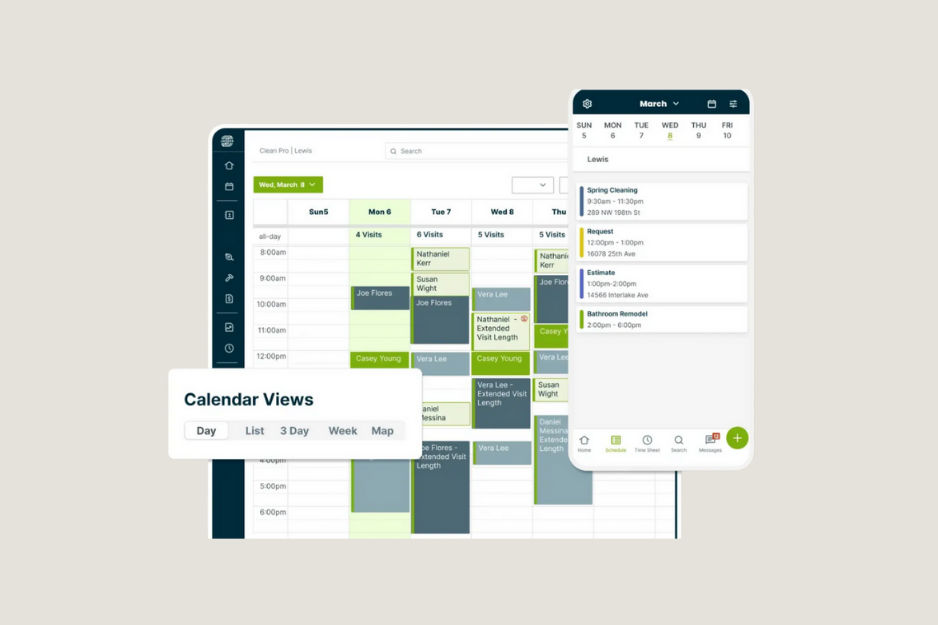
Jobber earns first place because it covers the complete day-to-day workflow without being limited to one part of the business. A handyman can collect a work request, send a quote, schedule the visit, store job notes and photos, invoice the customer and accept payment in one system.
The Core plan includes scheduling, quotes, invoices, and payments. Jobber’s client hub also lets customers approve quotes, review appointment information and pay invoices without having to call or exchange paperwork.
Higher plans add the features that become more useful as a handyman company grows. These include automated reminders and follow-ups, checklists, QuickBooks Online sync, time and expense tracking, two-way texting, job costing and custom automations. Its broad app marketplace is another advantage for businesses that already use accounting, marketing or operations tools.
Jobber pros
- Complete quote-to-payment workflow
- Strong scheduling and client self-service
- Online booking and request forms
- Mature automation and integration options
- Supports solo operators as well as larger teams
Jobber cons
- Automated client reminders, quote and invoice follow-ups, expense tracking, and QuickBooks Online sync require the Connect plan or higher
- Job costing and custom workflow automations require the Grow plan or higher
- Features such as reviews, referrals, online booking, and pipeline require paid add-ons
- Costs can rise quickly as users and advanced features are added
Our verdict on Jobber
Choose Jobber if you prefer an established, widely recognized field-service platform with mature scheduling and integration tools. It is a dependable option for businesses comfortable upgrading to higher-priced plans as their needs grow.
Read EvoSpark’s full Jobber review, explore the best Jobber alternatives, or check Jobber’s current plans.
2. Clientility — Best-value all-in-one handyman software
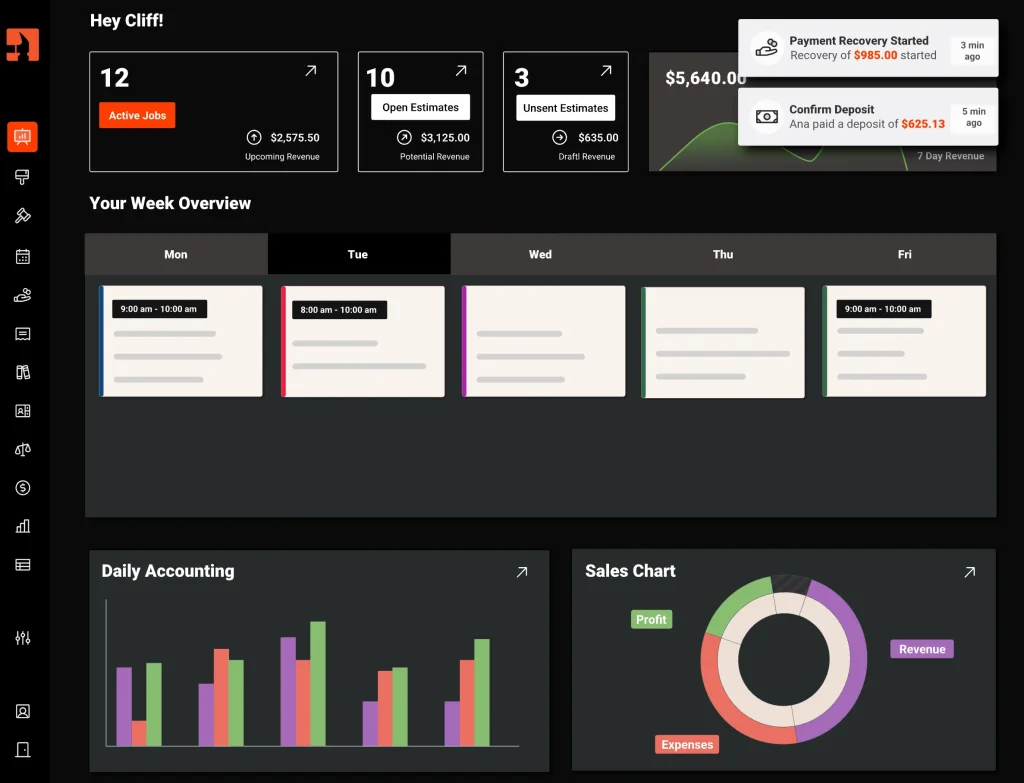
Best for: Solo handymen and small to medium-sized teams that want all the core business-management tools, plus practical advanced features, at a predictable price
Starting price: $45/mo
Clientility takes second place overall and wins our best-value category. Its Individual plan combines lead management, estimates, scheduling, invoices, online payments, a client portal and automated follow-ups. It also includes capabilities that often matter on larger handyman projects, such as site visits, change orders, milestone payments, job costing and expense tracking.
That combination makes Clientility relevant to both quick service calls and multi-stage projects. Before-and-after photos, internal notes and document storage keep the job record organized. Customers can approve work, follow progress and pay through the client portal, reducing the number of separate texts and payment links a contractor must manage.
The Team plan costs $75 per month for up to five users and adds team-oriented tools such as team scheduling, payroll, timesheets and permissions. Additional users are listed at $10 per month each. This pricing is attractive for a small handyman company that would otherwise need a more expensive tier from a larger competitor.
Clientility pros
- Strong feature-to-price ratio
- Individual and Team plans are easy to understand
- Estimates, site visits, scheduling, invoicing and payments in one workflow
- Client portal, change orders and milestone payments
- Job costing, expenses and live profitability tools
- Useful before-and-after photo records for handyman jobs
Clientility cons
- Fewer third-party integrations than Jobber
- No permanent free plan after the 14-day trial
Why Clientility ranks second instead of first
Clientility offers more advanced functionality than its price might suggest, but Jobber remains the more established choice with a larger integration ecosystem and a longer market history. Clientility is the better value; Jobber is the safer overall recommendation for a broader range of businesses. That distinction is why the products rank second and first, respectively.
Our verdict on Clientility
Choose Clientility if you want an affordable, comprehensive system that can manage both small, straightforward jobs and more detailed projects requiring advanced features. Its $75 Team plan offers particularly strong value for growing handyman businesses, supporting up to five users.
Read EvoSpark’s full Clientility Review or check Clientility’s current pricing and features.
3. Housecall Pro — Best for a growing handyman team
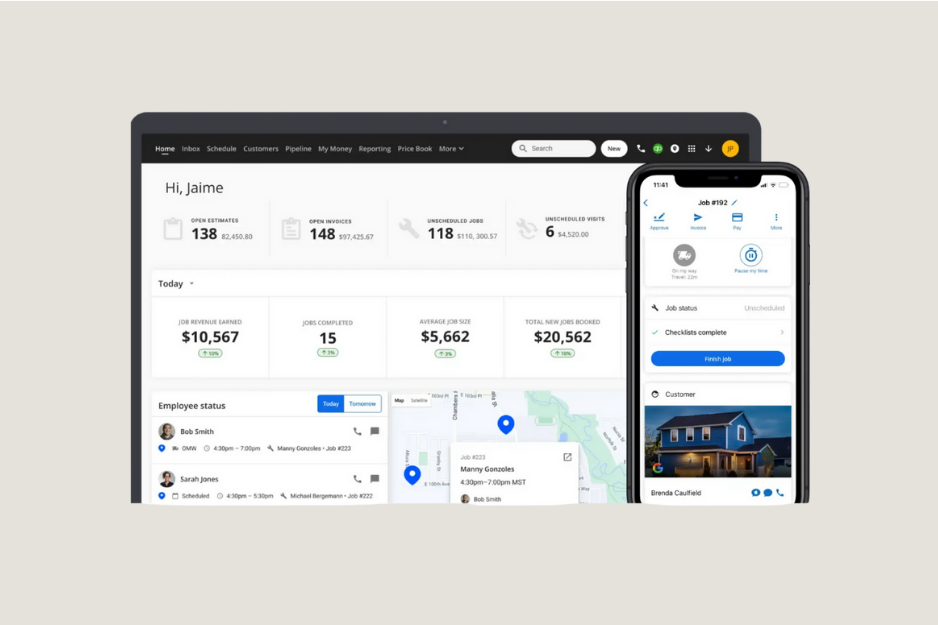
Best for: Handyman companies managing multiple technicians, routes and a high volume of appointments
Starting price: $79/mo
Housecall Pro is designed for home-service operations that need scheduling, dispatch, estimates, invoices, payments and customer communication in one place. The Basic plan includes online booking, scheduling and dispatch, estimates, invoicing, payments, a standard price book, and job costing.
The Essentials plan for $189/mo is the more relevant option for a growing team. It includes up to five users and adds checklist automations, photo reports, employee GPS tracking, commissions and QuickBooks Online sync. Companies that need recurring service plans, route optimization or API access must look to the Max tier for $329/mo.
Housecall Pro pros
- Scheduling and dispatch tools
- Online booking, estimates, invoices and payments
- Price book and job costing on the entry plan
- Routes, GPS tracking and photo reports for growing teams
Housecall Pro cons
- More expensive basic plan
- Several essential features require the Essentials plan
- Advanced routing, service plans and API access require Max
- May be more system than a one-person handyman business needs
Our verdict on Housecall Pro
Choose Housecall Pro if the business has moved beyond a single calendar and needs tighter coordination between an office and several field technicians.
Check Housecall Pro’s latest pricing and included users.
4. Joist — Best for estimates and invoices
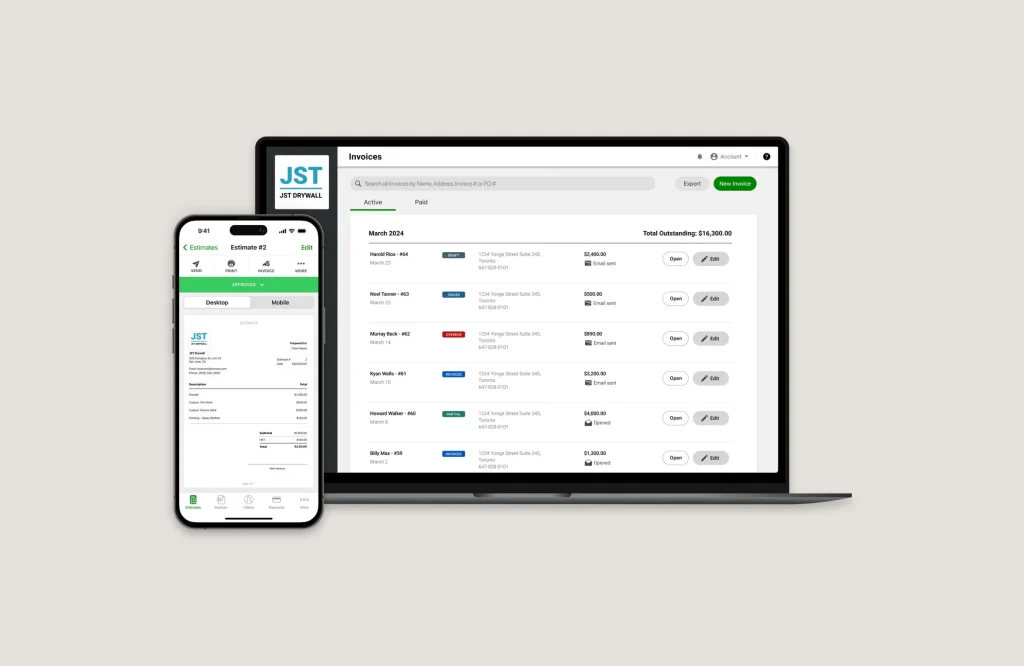
Best for: Solo handymen who need basic estimates, invoices and payments
Starting price: $10 per month for Basics (limited to 5 invoices or estimates per month); $17 per month for Pro
Joist is one of the most basic and narrowly focused options in this comparison. Rather than functioning as complete handyman business-management software, it concentrates primarily on three tasks: creating estimates, sending invoices and collecting payments. Contractors can prepare an estimate, convert approved work into an invoice and accept deposits or final payments from the same app.
The $10 Basics plan allows up to five estimates or invoices per month. The $17 Pro plan adds unlimited estimates and invoices, work orders, contracts, and eSignatures. The $32 Elite plan adds change orders and reporting features.
Joist’s simplicity can work well for solo handymen who only want to replace handwritten estimates and invoices. However, it does not provide the complete scheduling, job management, technician management and customer management workflow available from full platforms.
Joist pros
- Simple estimating and invoicing
- Low monthly price
- Estimate-to-invoice workflow and online payments
- Deposits and digital signatures
Joist cons
- No full scheduling system
- Basics is limited to five estimates or invoices monthly
- Not designed for managing technician operations
- Some payment methods carry comparatively high processing fees
Our verdict on Joist
Choose Joist when estimating, invoicing and getting paid are the main problems you need to solve. Choose Jobber, Clientility or Housecall Pro when the software must also organize schedules, jobs and technicians.
See Joist’s current pricing for plan and payment-processing details.
5. FieldPulse — Best for customizable team operations
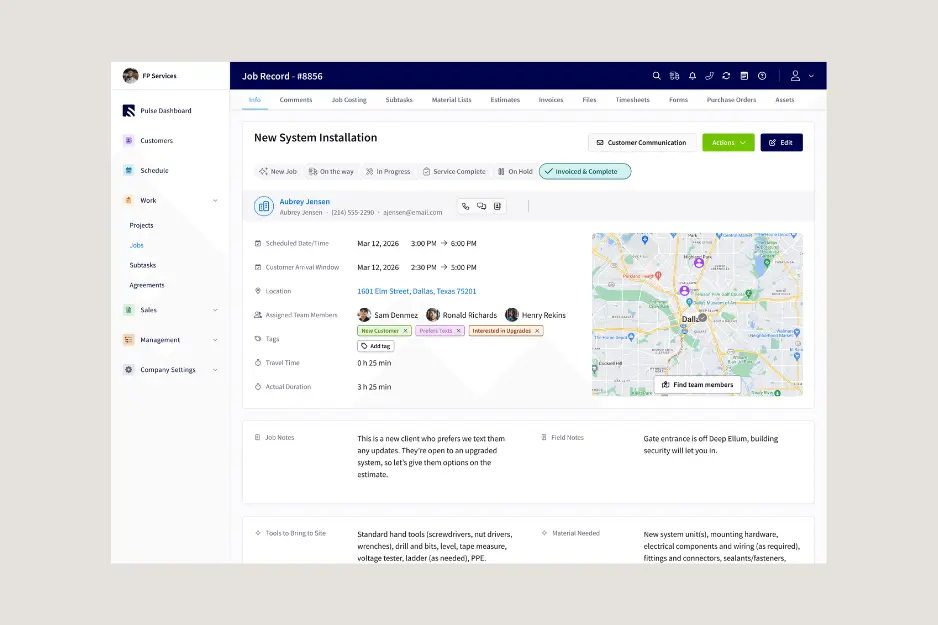
Best for: Growing handyman and field-service companies that need configurable workflows and structured implementation
Starting price: Request pricing
FieldPulse combines customer management, scheduling and dispatch, work orders, estimates, invoices, mobile access, workflow automation, project management and QuickBooks sync.
The platform is a stronger fit for an established operation than for someone who only needs a basic calendar and invoice app. Its custom workflows, price book, forms and operational features can help a team standardize how work moves from the office to the field.
The main drawback is pricing transparency. FieldPulse requires a conversation and a custom quote, so businesses cannot calculate the real cost as easily as they can with other platforms.
FieldPulse pros
- Customer, job and work-order management
- Scheduling and dispatching
- Workflow automation
- Mobile access for field employees
- Project management and QuickBooks sync
FieldPulse cons
- No public starting price
- Seat-based pricing requires a tailored quote
- Setup may be more involved than with a lightweight app
- Premium capabilities can add to the final cost
Our verdict on FieldPulse
Choose FieldPulse if your company needs configurable operations and is willing to go through a sales and implementation process. Smaller businesses that prioritize transparent pricing should start with the options ranked above it.
Read EvoSpark’s FieldPulse review and verify details on the official FieldPulse pricing page.
7. Workiz — Best for phone-heavy intake and dispatch
Best for: Handyman businesses that receive many calls and need centralized dispatch and communication
Starting price: Request pricing
Workiz combines scheduling, estimates, invoices, payments and customer management with tools for service businesses that book and dispatch work by phone. Its optional communication system supports business calling, call flows, and two-way messaging.
Workiz does not consistently display its pricing publicly, so businesses must contact its sales team for a current quote. Available features include scheduling, estimates, invoices, payments and customer management, while more advanced plans add QuickBooks Online integration, location tracking, lead management, workflow automations and AI scheduling tools.
Workiz can be powerful for appointment-driven companies that rely heavily on job intake and dispatching. However, its lack of transparent pricing and broad feature set may make it less practical for a typical solo handyman seeking a simple, affordable system.
Workiz pros
- Scheduling, client records, estimates and invoices
- Dispatch and communication focus
- Online booking and payments
- Higher tiers support automation, location tracking and QuickBooks
Workiz cons
- No public starting price
- Phone features are sold separately
- May be unnecessarily complex for a solo handyman
Our verdict on Workiz
Choose Workiz when phone intake, dispatching and technician coordination are central to the business. If you only need straightforward scheduling, estimates and invoices, Jobber or Clientility will usually be easier to justify.
Read EvoSpark’s complete Workiz review and check Workiz’s current plans.
Which handyman app should you choose?
The right choice becomes clearer when you match the software to your business’s needs, size and daily workflow:
Choose Jobber if you prefer an established, widely recognized field-service platform.
Choose Clientility if you want an affordable, comprehensive platform that combines essential business-management tools with advanced features for both straightforward jobs and more detailed projects.
Choose Housecall Pro if you manage a growing team and need dispatching and route planning.
Choose Joist if you only need a basic system for creating estimates, sending invoices and collecting payments.
Choose FieldPulse if your growing team needs customizable workflows, structured operations and implementation support. And you are comfortable requesting a custom price.
Choose Workiz if phone-based job intake, customer communication and daily dispatching are central to your business and you are comfortable requesting a custom price.
Before subscribing, use the trial to recreate a real job from start to finish. Add a customer, prepare an estimate with labour and materials, schedule the visit, attach before-and-after photos, create an invoice and record a payment. The right product is the one that completes that workflow without forcing your team into unnecessary steps.
What features should handyman software include?
At minimum, an active handyman business should look for:
- Estimates and approvals: Build an itemized quote on-site and capture the customer’s approval.
- Scheduling: See appointments clearly, avoid double bookings and reschedule work quickly.
- Customer and job history: Keep addresses, notes, photos, previous work and documents together.
- Invoices and payments: Convert completed work into an invoice and offer convenient payment methods.
- Mobile access: Update the job without returning to an office computer.
- Reminders: Reduce missed appointments and manual payment follow-up.
- Job costing: Compare labour, materials and expenses with the amount charged.
- Team controls: Assign technicians, manage permissions and track time when employees are involved.
FAQs
Which handyman software offers the best value?
Clientility offers the best overall value in this comparison. Its Individual plan at $45/mo combines lead management, estimates, scheduling, invoicing, payments, job costing and a client portal, while its $75/mo Team plan supports up to five users.
What features should handyman software include?
Handyman software should include estimates, scheduling, customer records, job tracking, invoices, online payments and mobile access. Growing businesses may also need job costing, expense tracking, automated reminders, team permissions and accounting integrations.
Is QuickBooks enough for a handyman business?
QuickBooks can manage accounting, expenses and financial reporting, but it does not replace complete handyman software. Most businesses still need a separate platform for leads, estimates, scheduling, job records, photos, customer reminders, and field operations.