


Jobber is a popular field service management platform for contractors and home service businesses. It brings quoting, scheduling, customer management, invoicing and payments into one system, making it a practical option for businesses that want to replace spreadsheets and disconnected apps.
However, no single platform is the right fit for every company. Some businesses may need stronger dispatching tools, more flexible team pricing, advanced construction management or better support for multi-stage jobs. Others may simply want to compare their options before committing to a long-term software subscription.
This guide compares seven of the best Jobber alternatives for contractors and home service businesses in 2026. We look at the features, pricing, strengths, limitations and ideal use cases of each platform so you can find the one that best fits the way your business operates.
Quick Comparison: Best Jobber Alternatives in 2026
| Software | Starting Price | Good Fit For | Main Strength | Main Consideration |
|---|---|---|---|---|
| Housecall Pro | Starts at $79/month | Small to mid-sized home service businesses | Scheduling, dispatching, invoicing, payments, and technician management | Its starting price is higher than some alternatives, and certain advanced features may require a higher-tier plan |
| Clientility | Starts at $45/month | Small to mid-sized contractors and service businesses | A modern platform for managing leads, estimates, scheduling, payments, reminders, job activity, and client portal | Currently has fewer third-party integrations |
| ServiceTitan | Request pricing | Larger home service and trade companies | Dispatching, scheduling, reporting, technician performance, and operational management | Pricing is not publicly listed, and the platform may be too complex for small to medium service businesses |
| FieldPulse | Request pricing | Growing service businesses that want more organized operations in one platform | Customer management, scheduling, estimates, invoices, payments, and mobile field updates | Pricing is not shown publicly; setup may take time |
| Workiz | Request pricing | Service businesses that rely heavily on dispatching, scheduling and phone-based job intake | Dispatch board, built-in call tracking, invoicing, payments, and technician coordination | Pricing is not shown publicly; some important features require upgrades, and the system may have a steeper learning curve |
| Service Fusion | Request pricing | Growing service companies, works best for businesses that already have steady job volume and need structure | An operations-focused system for managing technicians, coordinating jobs, and keeping job information organized | Pricing is not shown publicly; limited Customization for workflows, forms, and automated messages |
Each Jobber alternative takes a slightly different approach to field service management. Some are built around dispatching and high job volume, while others focus more on connected job workflows, customer communication, or large-scale operational reporting.
1. Housecall Pro
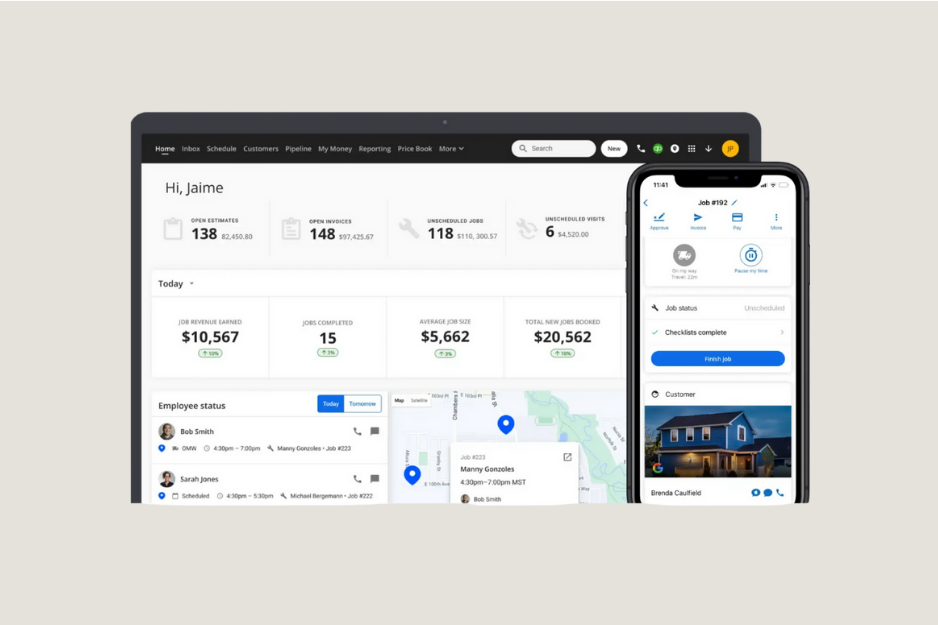
Starting price: $79 per month
Housecall Pro is one of the closest direct alternatives to Jobber. It is designed primarily for home service businesses that need to manage appointments, technicians, estimates, invoices, payments, and customer communication.
The platform is commonly considered by HVAC, plumbing, electrical, cleaning, pest control, landscaping, and appliance repair businesses.
Its scheduling tools help office staff organize jobs, assign technicians, and manage changes throughout the day.
Housecall Pro also includes estimates, invoicing, payment collection, and price books. This makes it a broad option for businesses that complete several appointments per day and want the office and field team working from the same system.
Housecall Pro starts at $79 per month. Businesses should still compare its higher plans because certain features and added users may increase the final cost.
Housecall Pro pros
- Scheduling and dispatching
- Built for home service businesses
- Customer reminders
- Estimates, invoices, and online payments
- Technician management
Main consideration
Housecall Pro has a higher starting price than some alternatives in this guide. Small businesses should confirm whether the entry plan includes everything they need or whether a higher tier will be required.
2. Clientility
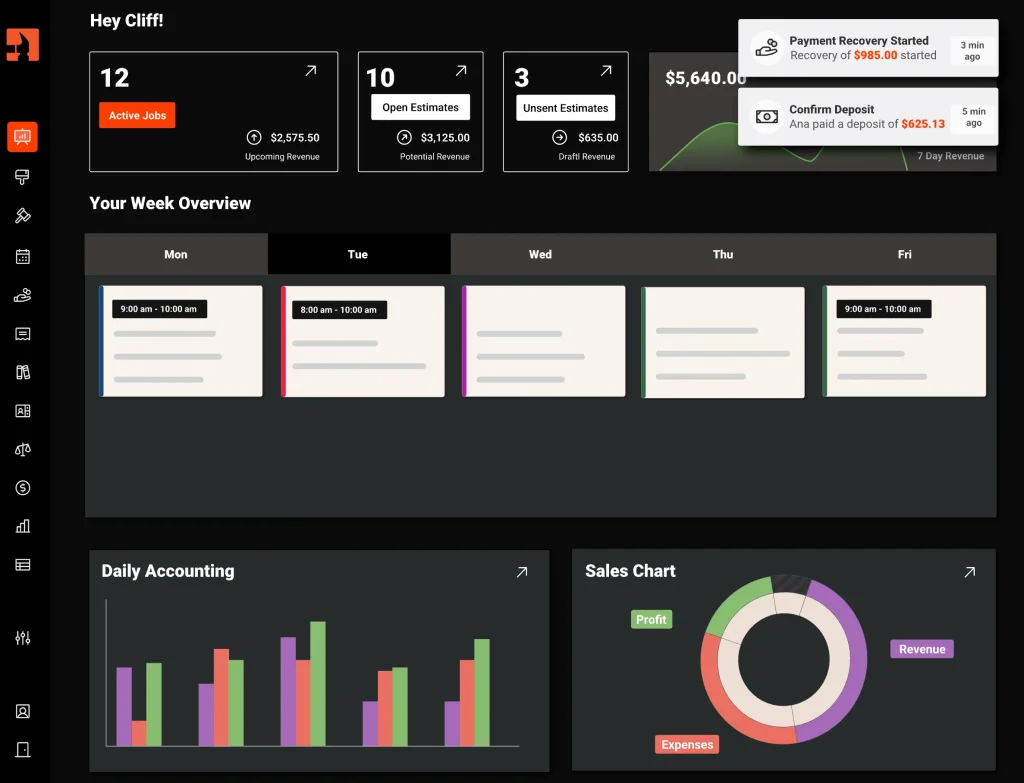
Starting price: $45 per month
Clientility is an all-in-one CRM and field service management platform built for contractors and service businesses.
It helps companies manage leads, estimates, invoices, site visits, scheduling, online payments, reminders, Google reviews, automated follow-ups, and client portal access in one connected workflow.
Clientility is designed to support the full customer journey. A contractor can create an estimate, schedule the work, assign employees, collect payments, track activity, and keep the customer informed from the same platform.
It also offers features for contractors managing larger or more detailed jobs, including milestone payments, job costing, change orders, expenses, and profitability insights.
The client portal gives customers a central place to review estimates, approve work, make payments, and access job information. Automated email and SMS reminders can reduce manual follow-up for both customers and employees.
Clientility’s Individual Plan starts at $45 per month and includes access to the platform’s core features. Clientility offers only two plans: Individual and Team. The main difference is that the Team Plan adds employee and team-management features, while the core job management tools are available on both plans.
Clientility is best suited to solo contractors and small to medium-sized service businesses that want a modern, straightforward platform for managing leads, estimates, scheduling, payments, invoices, and Google reviews without paying for a complicated enterprise system.
* For a more detailed breakdown, see our full Clientility CRM review.
Clientility pros
- Affordable starting price
- Lead and customer management
- Estimates and scheduling
- Client portal
- Milestone payments
- Change orders
- Google reviews
- Job costing and profitability tools
- Automated reminders and follow-ups
Main consideration
Clientility currently has fewer third-party integrations.
3. ServiceTitan

Starting price: Request pricing
ServiceTitan is built primarily for larger home service and trade companies.
It is commonly used by established HVAC, plumbing, electrical, and similar businesses that manage high job volume, large technician teams, dispatching, and detailed operational reporting.
Its dispatching tools help office teams coordinate technicians and respond to schedule changes throughout the day. ServiceTitan also provides reporting for technician performance, sales activity, and business operations.
The platform goes beyond basic field service management by offering tools related to call management, price books, inventory, and larger business operations.
This depth can be valuable to established organizations, but it may also make the platform more difficult and expensive to implement than simpler Jobber alternatives.
ServiceTitan does not publish pricing. Businesses must request a quote based on their size and software requirements.
ServiceTitan pros
- Scheduling and dispatching
- Technician performance tracking
- Call booking and management
- Detailed reporting
- Marketing and sales insights
- Built for larger operational teams
Main consideration
ServiceTitan may be too complex for solo contractors and smaller service companies. Pricing is not publicly listed, so businesses should also ask about onboarding, contracts, add-ons, and implementation costs.
4. FieldPulse
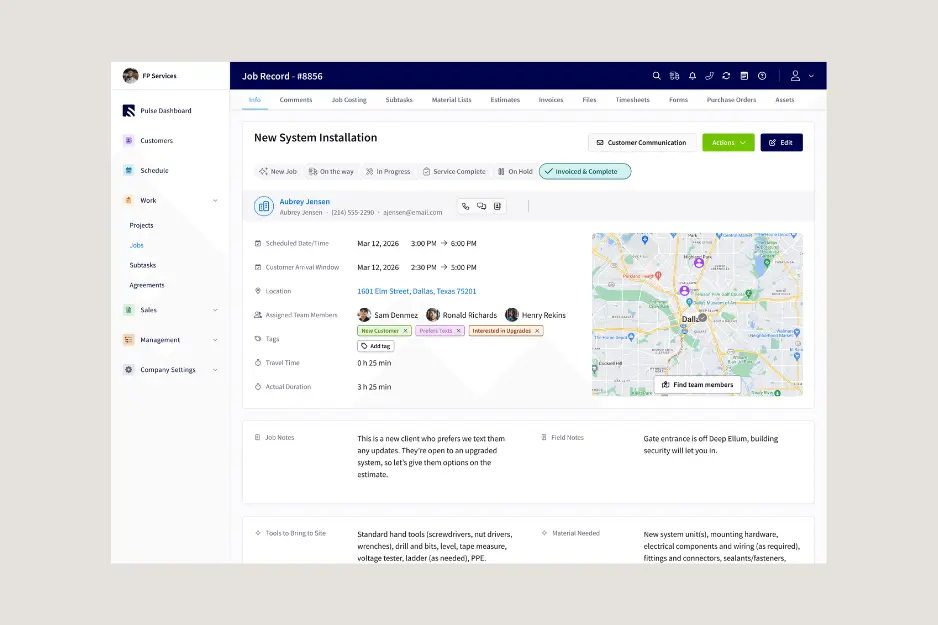
Starting price: Request pricing
FieldPulse is a field service management platform for growing contractors and service companies that need more structure across their office and field operations.
It brings customer management, scheduling, dispatching, estimates, invoices, payments, and field employee updates into one platform.
The customer and job management tools help businesses keep important information connected. Office staff can review customer history, job details, estimates, invoices, and current work without searching across multiple systems.
Price-book functionality can help companies organize frequently used services, materials, and labour pricing. This may make estimates more consistent across different employees.
FieldPulse does not publicly display standard pricing, so contractors must request a quote based on their team size and setup. Businesses should also consider the time required for setup and training.
FieldPulse pros
- Customer and job management
- Scheduling and dispatching
- Estimates, invoices, and payments
- Price-book tools
- Suitable for growing service companies
Main consideration
Because pricing is not publicly shown, it can be difficult to compare FieldPulse’s total cost before contacting the company. Setup may also take time for teams moving from simpler systems.
5. Workiz
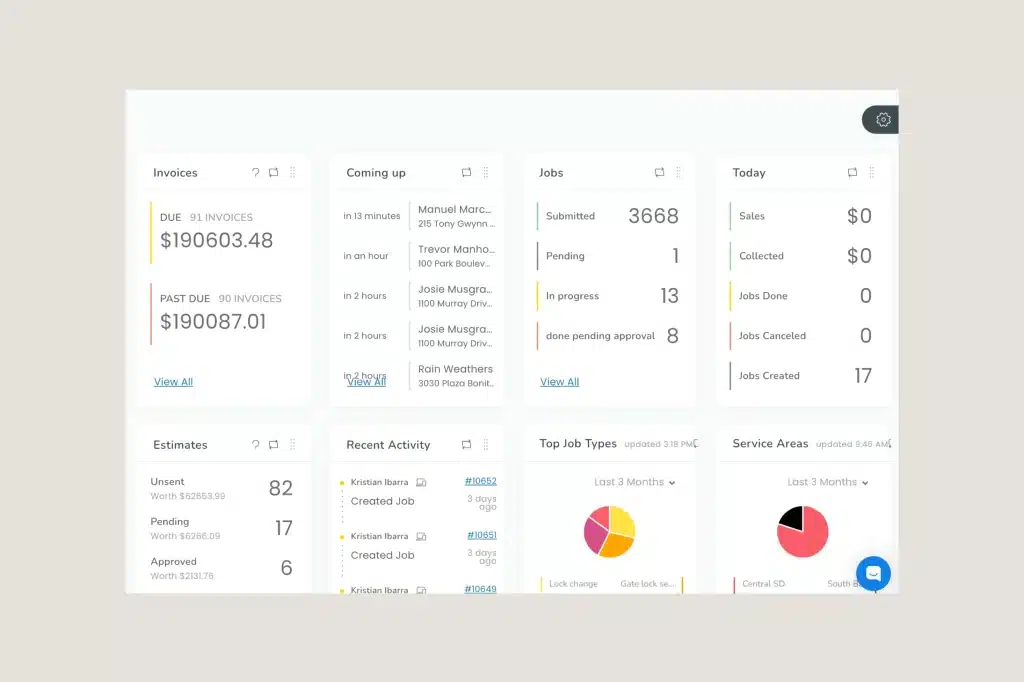
Starting price: Request pricing
Workiz is designed for service businesses that rely heavily on incoming calls, dispatching, and technician coordination.
It is commonly considered by locksmiths, appliance repair companies, garage door businesses, junk removal companies, cleaning services, and other appointment-driven operations.
The Workiz dispatch board helps office staff organize jobs, assign technicians, and manage changes as new work comes in.
Its built-in phone and call-tracking tools are also a notable part of the platform. Businesses that receive a large percentage of new jobs by phone may find these tools useful for connecting calls, customers, and scheduled work.
Workiz also includes estimates, invoicing, payments, mobile access, and automation tools.
Workiz is a structured field service platform with strong scheduling, dispatching, and technician coordination. It may take time for teams to become comfortable with its broader feature set.
Workiz pros
- Dispatching tools
- Useful for phone-driven businesses
- Estimates, invoices, and payments
- Technician coordination
- Mobile field access
Main consideration
Pricing is not shown publicly, and some important features may require higher plans. Smaller contractors may also find the platform more complicated than necessary.
6. Service Fusion
Starting price: Request pricing
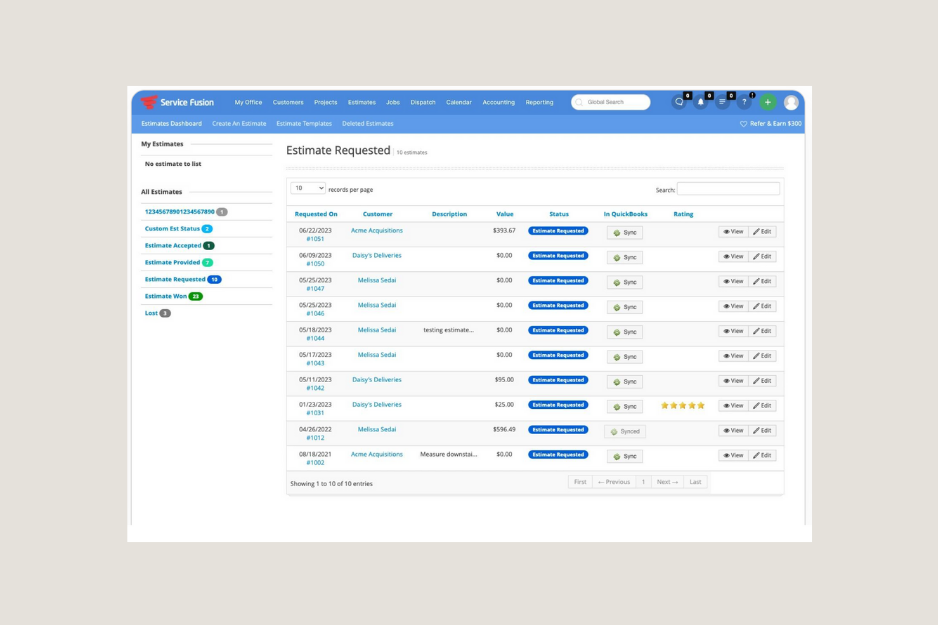
Service Fusion is an operations-focused field service platform for companies that need to coordinate steady job volume, technicians, customer records, and daily schedules.
It helps office staff manage service calls, assign technicians, organize customer information, create estimates and invoices, and monitor job activity.
Service Fusion may appeal to businesses that have outgrown shared calendars, spreadsheets, and group messages but do not necessarily require a large enterprise platform.
Its customer records and service history can help office employees understand previous work before scheduling another appointment. Scheduling and dispatching tools also help keep office staff and field technicians working from the same information.
Service Fusion is an alternative for contractors that prioritize dispatching, job coordination, and clearer office-to-field communication.
Service Fusion pros
- Operations-focused field service management
- Scheduling and dispatching
- Technician coordination
- Customer and service history
- Estimates and invoices
Main consideration
Pricing is not publicly shown. Businesses that need highly customized workflows, forms, or automated messages should also verify whether Service Fusion offers enough flexibility for their processes.
How to choose the right Jobber alternative
The best Jobber competitor is not necessarily the platform with the longest feature list. It is the one that fits the business’s normal workflow, budget, and team structure.
Before choosing, consider the following areas.
Type of work
Appointment-based businesses may prioritize recurring service, arrival notifications, and fast payment collection.
Project-based contractors may care more about estimates, deposits, change orders, labour costs, expenses, and job profitability.
Team size
Check how many employees are included in each plan, what it costs to add office users or technicians, and whether important features require paid add-ons or a higher-tier subscription.
A platform that appears affordable for one user can become significantly more expensive as the team grows or as the business needs access to more advanced tools.
Essential features
Create a list of tools the business genuinely needs, such as:
- Scheduling
- Dispatching
- Estimates
- Invoicing
- Online payments
- Client portal
- Job costing
- Recurring work
- Customer reminders
- Accounting integrations
- Google reviews
Compare platforms using the plan that includes these features, not only the lowest advertised price.
Ease of use
Both office staff and field technicians should test the platform before the business commits.
The software should make it easy to find customer information, update jobs, review schedules, create estimates, and collect payment.
Which Jobber alternative is best?
Choose Housecall Pro if your business prioritizes home service dispatching, technician management, invoicing, and customer communication.
Choose Clientility if you want an affordable, easy-to-use platform with a modern interface, all core features included, and enough flexibility to handle both simple service jobs and more complex contractor workflows.
Choose ServiceTitan if you run a larger trade company and require advanced reporting, call management, and operational oversight.
Choose FieldPulse if your growing service business needs more structure across customers, jobs, schedules, and field employees.
Choose Workiz if phone-based job intake and daily dispatching are central to your operations.
Choose Service Fusion if your company has steady job volume and needs a structured way to manage technicians and office-to-field coordination.
What is the best Jobber alternative?
The best Jobber alternative depends on your business size, workflow, and budget. Housecall Pro is a strong choice for home service businesses focused on scheduling and dispatching, while Clientility is a good fit for contractors that want an affordable, easy-to-use platform with a modern interface and all core features included. ServiceTitan may be better suited to larger companies with more complex operational needs.
What is the most affordable Jobber alternative?
Clientility has the lowest published starting price in this comparison at $45 per month. Its core features are included in the plan, while the Team Plan mainly adds employee and team-management tools. Other platforms may require higher tiers, paid add-ons, or custom pricing to access certain features.
Are cheaper Jobber alternatives missing important features?
Not always. A lower starting price does not necessarily mean fewer useful features. Some platforms include most core tools in their main plans, while others separate advanced features into higher tiers. Compare what is actually included rather than judging the software by price alone.
What should I look for in a Jobber alternative?
Look for software that matches the way your business operates. Important factors include pricing, included users, scheduling, estimates, invoicing, payments, customer communication, mobile access, reporting, integrations, and whether important features require add-ons or higher-tier plans.