


Running a painting business involves much more than applying a fresh coat of paint. Painting contractor software can help simplify everything from measuring rooms and calculating material costs to preparing estimates, scheduling painting crews, managing customer expectations and collecting payments. As a painting company grows, the administrative side of the business can quickly become just as demanding as the work itself.
Instead of managing leads in spreadsheets, sending estimates by email, and coordinating employees via text messages, painting companies can bring everything together in one place.
But not all painting business software is built the same way. Some platforms focus on scheduling and field operations, while others offer more extensive tools for lead management, sales follow ups, estimating and financial tracking.
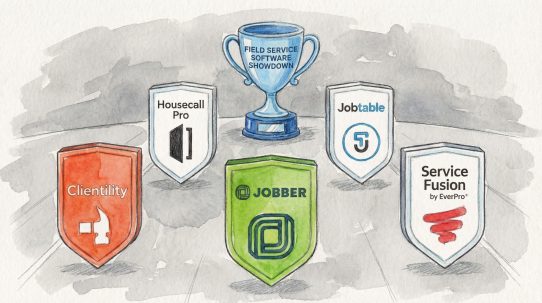
In this guide, we compare three painting contractor software platforms in 2026: Jobber, Clientility and Housecall Pro. We’ll review their features, pricing, estimating capabilities, scheduling tools, and customer management options to help you choose the one that fits your painting business.
Whether you’re an independent painter working alone, a residential painting contractor managing a small crew or a growing painting company handling multiple projects, choosing the right software can make a meaningful difference in how you run your business.
What Is Painting Contractor Software?
Painting contractor software is a business management platform designed to help painting companies organize estimates, leads, scheduling, customer communication, job management, invoicing and payments.
Rather than using separate applications for each task, painting contractors can manage their operations through a centralized system.
For example, when a homeowner requests an estimate for painting their living room and kitchen, a contractor can record the inquiry, schedule a visit, prepare an estimate, send it for approval and turn the approved estimate into a scheduled job.
As the project progresses, the contractor can track job details, communicate with the customer, record expenses and send the final invoice.
For small and medium sized painting companies, this type of workflow can reduce repetitive administrative tasks, make customer information easier to access and help prevent missed opportunities.
Modern painting business software can include:
- Lead management: Organize incoming inquiries, track potential customers and monitor sales opportunities.
- Painting estimates: Prepare professional estimates with labor, materials, pricing and project details.
- Scheduling: Assign painting jobs, coordinate employees and organize upcoming appointments.
- Job management: Track project progress, manage changes and maintain customer records.
- Customer communication: Send reminders, updates and notifications throughout the project.
- Invoicing and payments: Generate invoices, track outstanding balances and collect payments.
- Job costing: Monitor labor, materials and expenses to understand project profitability.
The most useful platform is not necessarily the one with the most features. It’s the one that supports how your painting business actually operates, without adding unnecessary administrative work.
The 3 Best Painting Contractor Software Platforms in 2026
Three platforms worth comparing are Jobber, Clientility, and Housecall Pro. Each provides a different combination of estimating, customer management, scheduling, and field service tools.
| Software | Best suited for | Starting price |
|---|---|---|
| Jobber | Established field service operations, scheduling and customer management | $49/month |
| Clientility | Affordable business management, lead conversion and complete job workflows | $45/month |
| Housecall Pro | Scheduling, dispatching and managing field service teams | $79/month |
1. Jobber: Field Service Software for Painting Companies
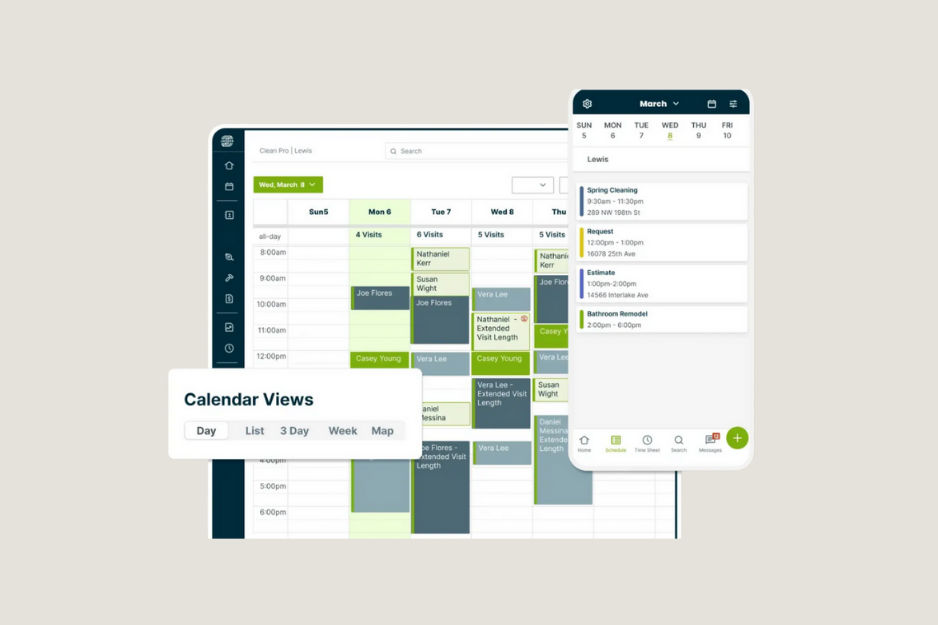
Jobber is an established field service management platform used by residential and commercial service businesses, including painting contractors. It provides tools for organizing customers, preparing estimates, scheduling jobs, managing employees, sending invoices and collecting payments.
For painting businesses that need a centralized system to manage their daily field operations, Jobber offers a broad range of functionality.
Estimates and Customer Management
Jobber allows painting contractors to prepare professional quotes, organize customer details, maintain job histories and send estimates for online approval.
Having customer records and previous project information available in one place can be useful for painting companies that regularly work with returning homeowners, property managers and commercial clients.
Scheduling and Team Coordination
Jobber provides a visual scheduling system that helps painting contractors assign jobs to employees, organize appointments and manage their team’s workload.
Its mobile application also allows employees to access schedules, customer details, job information and other important records while working on-site.
Client Hub and Invoicing
Jobber includes a customer portal called Client Hub, where customers can review quotes, access relevant information and manage invoices and payments.
The platform also provides invoicing, online payment processing and automatic reminders, helping painting businesses manage their financial administration.
Jobber Pricing
Jobber’s published Core plan starts at $49 per month with monthly billing for one user. More advanced plans provide additional features, with pricing increasing based on the plan and number of users.
Jobber also offers a 14 day free trial.
Who is Jobber best for?
Jobber is worth considering for painting companies that want established field service software with customer management, scheduling, quoting, invoicing, mobile tools and employee coordination.
It can be particularly relevant to contractors who want a structured system for managing daily operations and organizing their teams.
2. Clientility: Painting Contractor Software for Managing Your Business
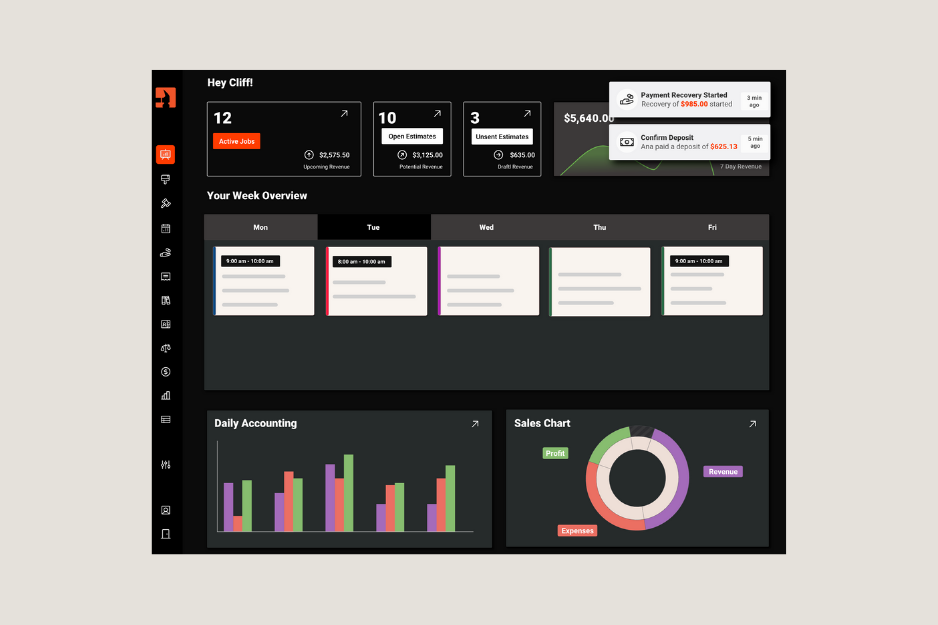
Clientility is an all-in-one business management platform built for home service businesses, including painting contractors. It brings together lead management, estimates, scheduling, job management, customer communication, invoicing, and payments in one place.
For a painting company, the value of having these tools connected is that the workflow does not have to stop at creating an estimate. A new customer can be added as a lead, scheduled for a site visit, converted into an estimate, followed up with, scheduled for the project and eventually invoiced from the same platform.
That makes Clientility a particularly interesting option for painting contractors who want their software to handle both winning new painting jobs and managing the work after the customer says yes.
* For a more detailed breakdown, see our full Clientility CRM review.
Professional Painting Estimates
Estimates are a key part of the painting sales process, especially when factoring in labor, paint, primer, preparation, multiple coats and additional services.
Clientility lets contractors create professional branded estimates with detailed pricing, project information, terms and online approvals. Customers can review and approve estimates digitally, making it easier to move from quoting to booking the job.
Good, Better & Best Estimates
One feature that can be especially useful for painting contractors is Clientility’s Good, Better & Best estimates.
Instead of giving a homeowner one price, contractors can present up to three different options based on the level of service or materials included.
For example, a painting company could offer:
Good: Standard paint with basic surface preparation.
Better: Premium paint with additional preparation and a higher quality finish.
Best: Premium materials, more extensive preparation, upgraded finishes and additional services.
This gives customers more than one way to move forward and gives the contractor an opportunity to explain the differences between each option.
For painting contractors, this can be useful when a customer is interested in upgrading paint quality, adding additional rooms or including preparation work that was not part of the original request.
Scheduling Painting Jobs and Site Visits
Once a customer approves an estimate, Clientility makes it easy to schedule the painting project. Contractors can organize site visits, painting days, touch ups and final walkthroughs using daily, weekly and monthly scheduling views.
Customer notifications can also keep homeowners informed about upcoming appointments while keeping leads, estimates and scheduled jobs organized in one place.
Customer Portal and Project Communication
Clientility includes a customer portal where customers can interact with estimates, invoices, payments and project information.
The platform also supports project updates and a public project showcase where businesses can display before-and-after work. For a painting company, this can provide another way to showcase completed projects and demonstrate the quality of its work to potential customers.
QuickBooks Integration
Clientility integrates with QuickBooks Online and can sync important information including customers, jobs, line items, expenses, payments and invoices.
For painting contractors already using QuickBooks Online for accounting, having their field service and accounting workflows connected can reduce the need to enter the same information into multiple systems.
Clientility Pricing
Clientility currently offers an Individual Plan at $45 per month for one user and a Team Plan at $75 per month for up to five users, with additional users available for $10 per month.
There is also a 14-day free trial with no credit card required.
For a solo painter or small painting company, the pricing structure gives businesses an option to start with a smaller setup and move to a team plan as the company grows.
Who Is Clientility Best For?
Clientility is particularly suited to independent painters, residential painting contractors and growing painting companies that want more than basic scheduling and invoicing.
3. Housecall Pro: Scheduling and Operations Software for Painting Contractors
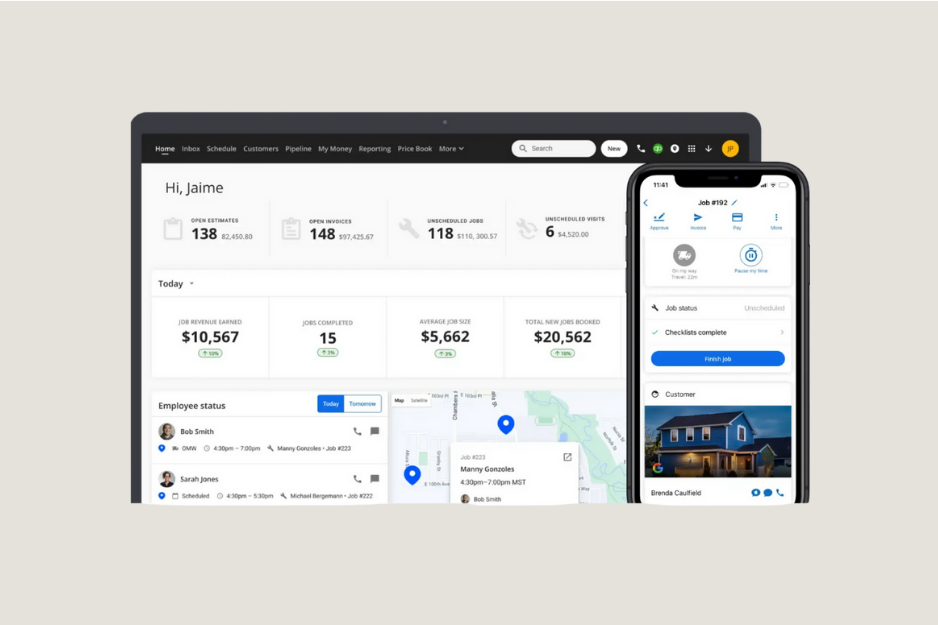
Housecall Pro is a field service management platform that helps painting contractors organize customer information, manage estimates, schedule jobs, coordinate employees, send invoices and collect payments.
Its software is built around managing service operations, making it an option for painting companies that handle frequent appointments and need centralized scheduling and administrative tools.
Estimates and Proposals
Housecall Pro allows contractors to create estimates and proposals with service descriptions, pricing and other project information.
Customers can review proposals, while contractors can manage estimates and move approved work into their job schedules.
Scheduling and Dispatching
Housecall Pro offers scheduling and dispatching tools that allow painting contractors to organize appointments, assign work and coordinate field employees.
Its mobile application provides access to schedules, customer information, estimates and invoices while employees are working in the field.
These tools can be particularly useful for companies managing multiple appointments and teams across different locations.
Customer Management and Payments
Housecall Pro includes customer management, invoicing, online payment options and customer communication tools.
Housecall Pro Pricing
Housecall Pro’s Basic plan starts at $79 per month with monthly billing for one user. Higher tier plans provide additional team and operational features at higher prices.
The platform also offers a 14 day free trial.
Who is Housecall Pro best for?
Housecall Pro is an option for painting companies that prioritize scheduling, dispatching, estimates, customer management and mobile field operations.
It’s particularly relevant to businesses looking for a centralized system to coordinate their employees and manage their service appointments.
How Do Jobber, Clientility and Housecall Pro Compare?
When comparing painting contractor software, Jobber, Clientility and Housecall Pro all give painting contractors tools to manage customers, estimates, scheduling, invoicing and payments. The main differences come down to pricing, the way each platform is structured, and how much of the day to day business you want to manage from one place.
Jobber is a well established option for painting contractors who want a structured system for managing customers, estimates, scheduling, jobs and invoicing. It offers a broad range of field service tools, with additional features depending on the plan.
Clientility is an affordable all in one option for contractors who want to manage more of their business from one platform. Along with leads and customer management, contractors can create and send estimates, schedule jobs, send reminders to customers, send invoices, collect payments and track job costs. Its simple interface and affordable pricing can make it a practical choice for smaller painting businesses and companies that are growing.
Housecall Pro is built around field service management, with a strong focus on scheduling, dispatching, estimates, customer management, invoicing and payments. It can be a good fit for painting companies that need tools to coordinate field operations as their team grows.
For a painting contractor, choosing the right painting contractor software comes down to more than the number of features. Pricing, ease of use, scheduling, estimating, customer communication and how easily the software fits into your existing workflow can all make a difference.
What Should Painting Contractors Look For in Software?
The right painting contractor software should support more than just estimates and invoices. It should help manage the entire workflow, from the first customer inquiry to the completed project and final payment.
When comparing software, painting contractors should look for:
- Professional estimates: Create detailed estimates for labor, paint, materials, preparation, multiple coats and additional services, with online approvals when needed.
- Scheduling and crew management: Schedule site visits, painting days, touch ups and final walkthroughs while keeping crews and appointments organized.
- Customer communication: Keep customers updated with appointment notifications, project information, estimate approvals and payment details.
- Invoicing and payments: Create and send invoices, accept online payments and keep payment information connected to the customer’s project.
- Job costing and profitability: Track labor, paint, materials and other expenses to understand how profitable each painting project is.
- QuickBooks integration: Connect your painting business software with your accounting workflow and reduce the need to enter information in multiple places.
- Ease of use: Choose a platform that contractors and office staff can actually learn and use consistently.
- Pricing: Look at what is included in each plan and make sure the software makes sense for the size of your painting company.
The goal is not simply to find software with the longest feature list. Painting contractor software should make the day-to-day business easier to manage while keeping customers, estimates, schedules, jobs and payments organized in one place.
FAQs
What is painting contractor software?
Painting contractor software is designed to help painting businesses manage their day-to-day operations in one place. Depending on the platform, it can include lead management, customer management, estimates, scheduling, job management, invoicing, payments, customer communication and job costing.
What is the best painting contractor software?
There is no single option that works best for every painting company. The right software depends on the size of the business, pricing, team structure and the features needed to manage estimates, scheduling, jobs, customers and payments.
Jobber, Clientility and Housecall Pro are three options painting contractors can consider, with each platform taking a slightly different approach to managing a service business.
How much does painting contractor software cost?
The cost of painting contractor software varies depending on the platform, plan and number of users. Some platforms offer lower-cost plans for solo contractors, while larger plans may include additional features for teams and growing businesses.
It is important to look beyond the monthly price and check which features are included in the plan you actually need.